

Admission register
Find student details in separate records.
Made for self-study libraries in India
Seats, fees, attendance and every student’s progress — on the web, Android and iPhone. Your students get their own app with a library card, study timer and receipts.
First 14 days free · No card needed · Pay by UPI only if you continue
After 14 free days, from about ₹5 a day. See the plan
A calmer way to run the day
From admission registers to fee follow-ups, each step has a clear home.
Find student details in separate records.
Check collected and pending amounts manually.
Reconcile assignments across shifts.
Maintain separate follow-up notes.
One connected workspace
Students, memberships, fees, attendance, seats and leads work together.
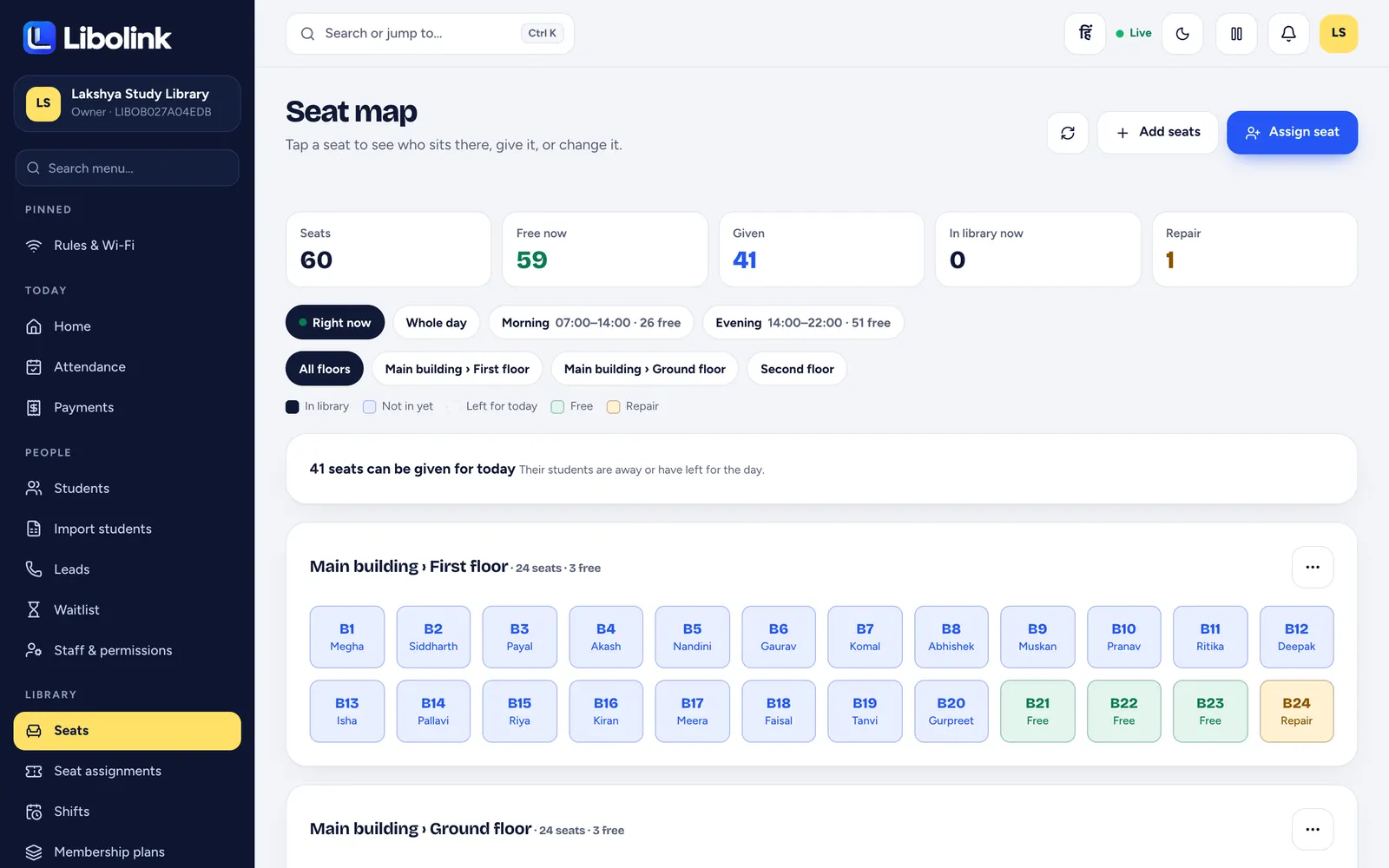
Free, given and in-library counts per floor and shift; tap a seat for its student with Call, WhatsApp and SMS, give an absent student’s seat for the day, and assign only free seats.
Fees due, absentees and renewals open as lists of students with Call, WhatsApp, a ready SMS, Send note and Collect fee.
Exam-wise notes, syllabus, previous papers, books, magazines and the daily newspaper, read inside Libolink with the reader’s name on every page.
A complete student profile, membership history, contact details and operational timeline.
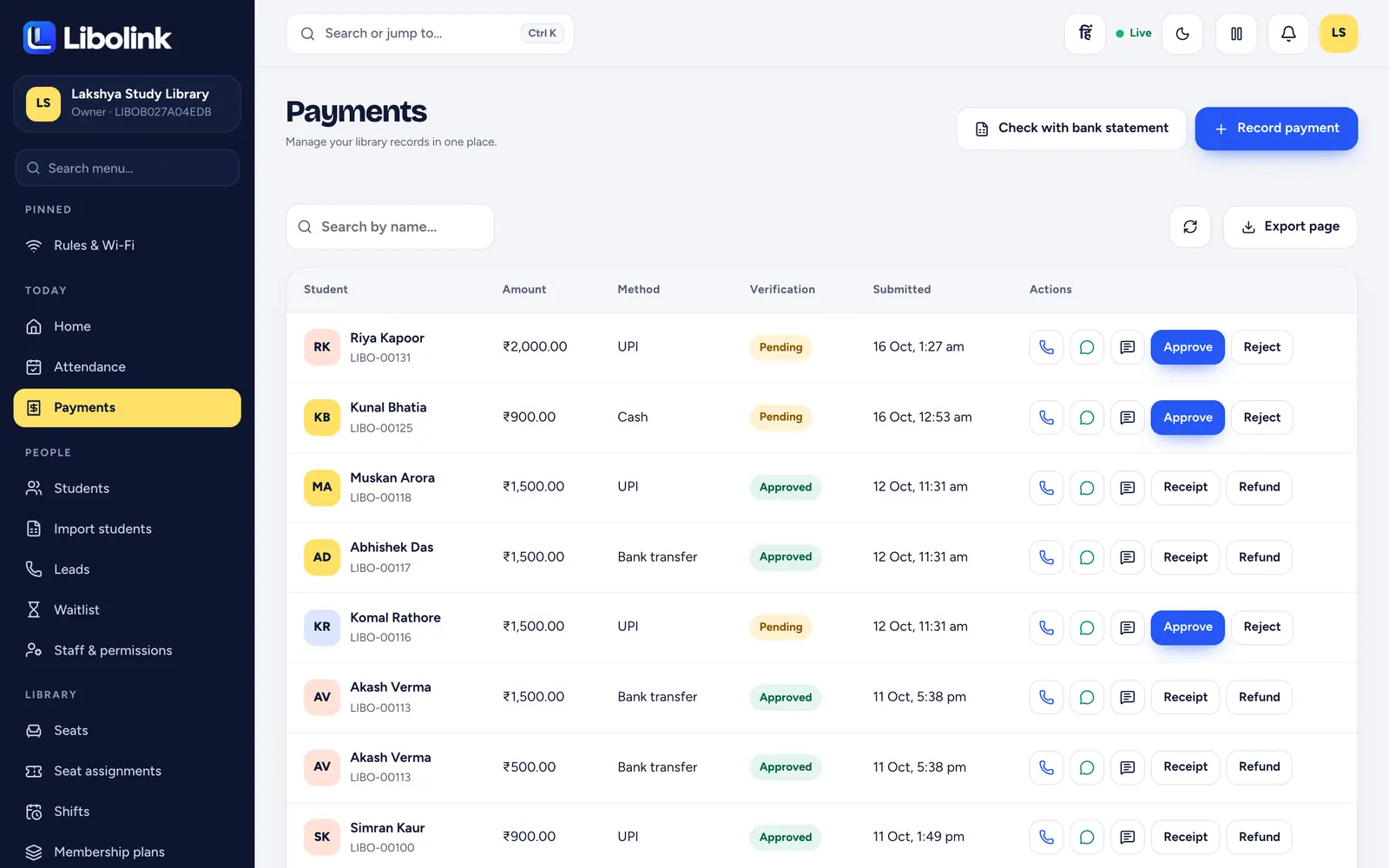
Due dates, manual verification, transaction references and receipts with a preserved financial trail.
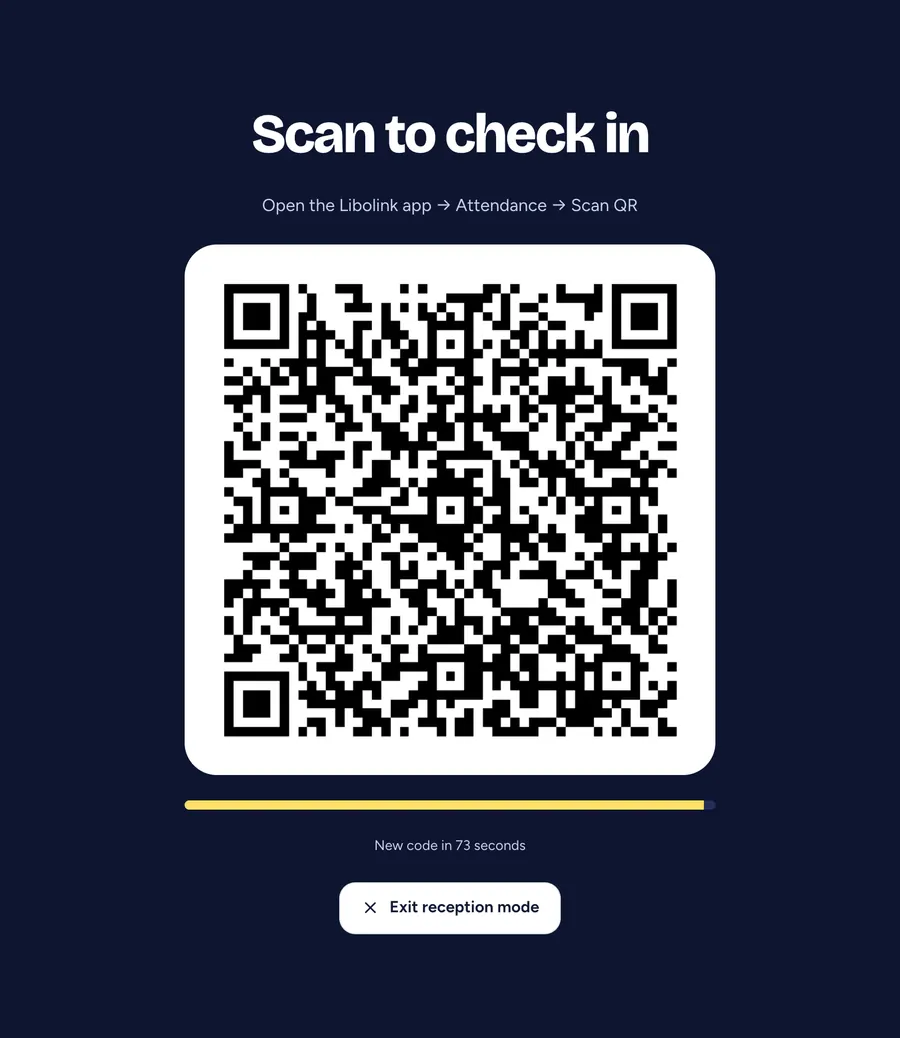
Staff-assisted, student and rotating QR attendance, with optional location checks.
A library-scoped CRM with stages, next follow-up and lead-to-student admission.
Study timer, goals, habits, exams, syllabus topics and mock-test progress.
Ready-made roles with ticked permissions, and every branch with its own students, seats, shifts and today’s figures.
See the product
Explore a resettable tour. All records below are fictional sample data.
Your library, connected.
From setup to everyday use
Start with the basics and add your operational model.
Space, organized
See available, assigned and maintenance states. A public enquiry does not reserve a seat.
A clear record of the day
Manual assistance, QR scanning and optional location checks share the same eligibility rules.
Use your authenticated student account.
Permissions are requested during the relevant action.
Membership, shift, token and session checks run before recording.
Location can be inaccurate or spoofed. Authorized staff can assist; geofencing alone cannot prove physical presence.
Financial clarity
Manual payment verification creates a traceable receipt after an authorized approval.
The owner pays for their SaaS subscription. Platform administration verifies the payment.
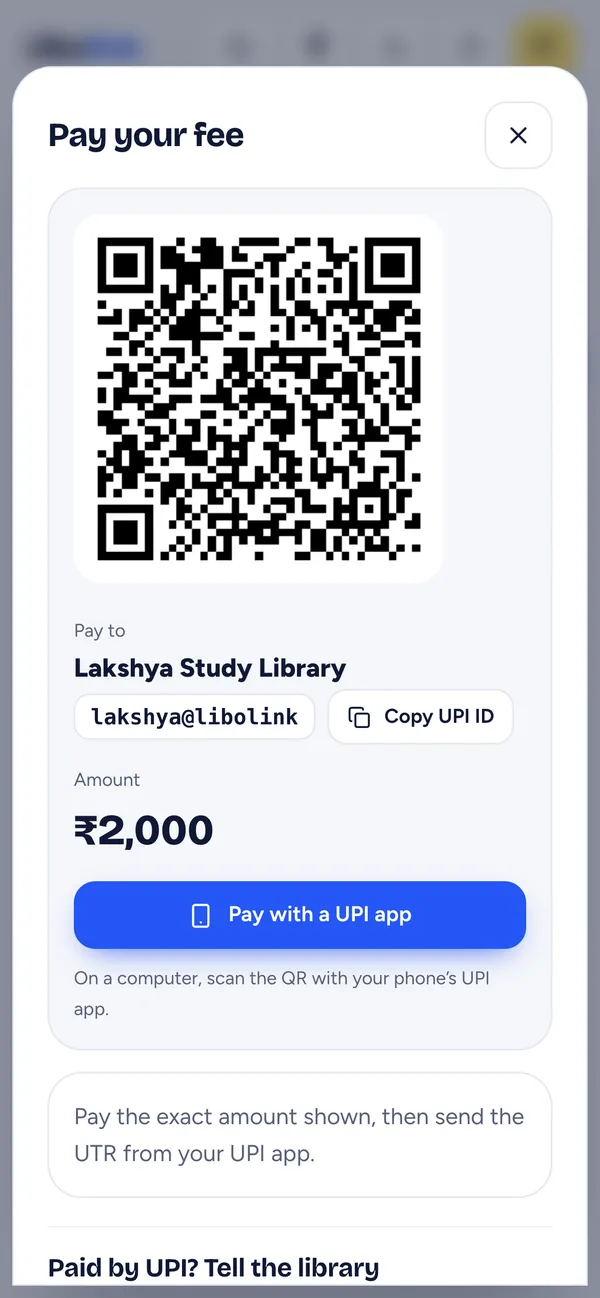
The student pays the library for a real-world study membership. Authorized library staff verify it.
A companion for students
Study sessions, goals, habits and exam plans stay private to each student.
Today’s focus
Mathematics · Revision
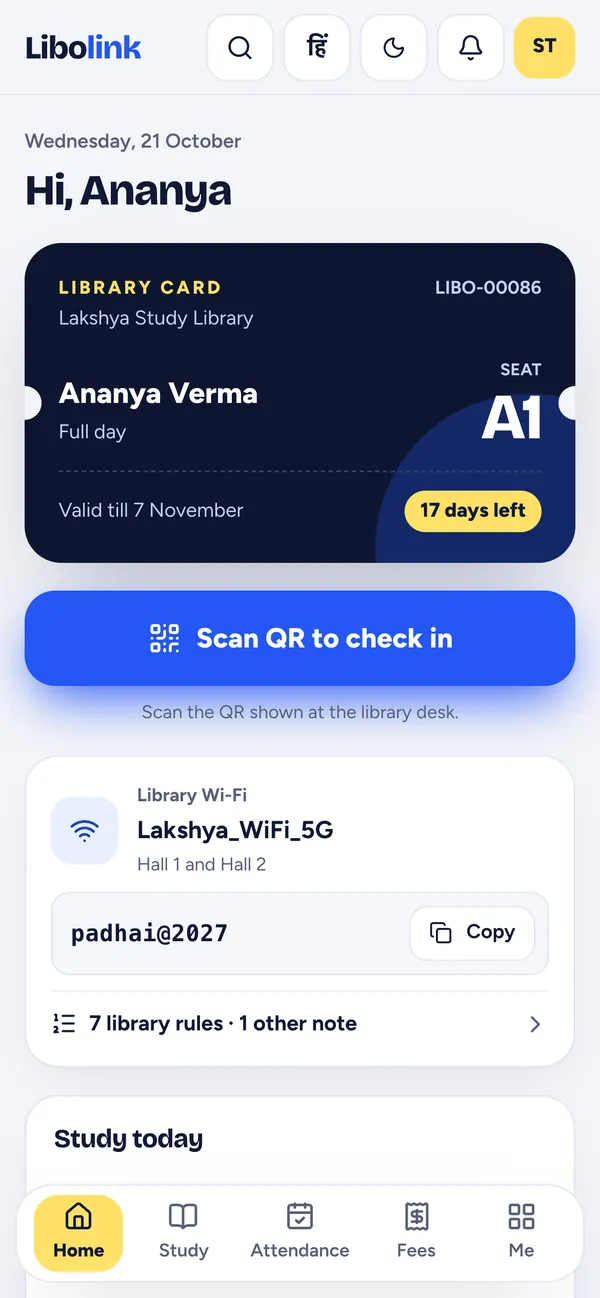
Start, pause and finish a session. Your active timer can be restored.
Track goals, habits, syllabus topics and upcoming exams.
See your own membership, fee history, seat and library notices.
An online home for your library
Publish approved photos, facilities, hours and selected plans. Receive enquiries in your CRM.
A focused space for your next chapter.
Choose an accent and layout, approve what is public, preview your draft and publish when ready. Student Login remains easy to find.
Share the link on Instagram, WhatsApp, printed QR posters and your Google Business Profile manually.
Create my library pageGoogle controls its own listing acceptance and search rankings.
Plans that fit your library
Current prices, trial terms and limits come from the administrator’s real plan records.
Tap a plan to see what’s inside
Starter
Up to 60 seats
Pro★ Most popular
Up to 120 seats
Everything in Starter, plus
Business
Any seats · up to 10 branches
Everything in Pro, plus
Arranged separately, these cost thousands. With Libolink: ₹0.
More than 10 branches? Call 9170055568
Built with care
Separate workspaces, staff permissions, private documents and an auditable financial trail.
Server and database checks protect your workspace.
The web and native apps use the same backend.
Students see their own records and study progress.
Before you begin
Find the details on student access, payments, setup and privacy.
Library staff create student accounts. Students use the Library Code with their Student ID or mobile number and a password, and change their temporary password on first login. Phones and browsers can save the password, and students stay signed in until they sign out (a browser left unused for 30 days asks them to sign in again).
Yes. Your first 14 days are free, with every Pro feature. No credit or debit card is needed and nothing is charged automatically. After 14 days your data stays safe and you can still see it; choose Starter, Pro or Business and pay by UPI to keep working.
Yes. Students get app and phone reminders 7, 3 and 1 days before the due date, on the day, and 1 and 7 days after, until the fee is paid. Renewal reminders follow the same pattern before a plan ends.
Yes. Connect your library’s WhatsApp Business number and the same reminders go on WhatsApp, by default only when a student has not opened the app reminder within a day or has no app. Meta bills you for the messages directly; Libolink adds nothing.
No. Students pay your own UPI ID or QR from the app, so the full amount reaches your bank. For automatic online payments, connect your own Razorpay account: receipts are created instantly and only Razorpay’s own fee applies.
Starter and Pro run one library; Business has up to 10 branches, each with its own seats, shifts and students. Logins, the owner included: Starter 2, Pro 3, Business 10. Staff get their own logins with roles such as Reception desk, Manager and Accounts, and can be limited to one branch. More than 10 branches: call +91 91700 55568.
Yes, free. Publish a page with photos, facilities, timings, plans, a map link and an enquiry form. Enquiries arrive on your Leads board with the student’s name, phone, exam and preferred shift, ready to admit.
Yes. Owners add PDFs such as exam-wise notes, the syllabus, previous papers, books, magazines and the daily newspaper. Students read them inside Libolink with their name on each page and no download button, and old newspapers are removed automatically. Share only material you have the right to share.
Yes, for the rest of the day. The seat map shows who is in the library now, who has not come and who has left; give the empty seat to another student and it returns to its own student the next morning.
No. One Libolink platform and one native mobile app serve all customer libraries. Each authenticated user accesses their authorized workspace.
Yes. Students pay their own library directly. Authorized staff verify manual payment references and record cash, bank and other payments.
Library subscription payments are separate from student fees. The owner submits a manual reference for Libolink administration to verify.
Core workflows use database records, local QR generation and device capabilities. Infrastructure, hosting, domains and growing usage may have costs.
Device location is an additional check, with accuracy limitations. It cannot guarantee physical presence. Staff-assisted attendance remains available.
Publish your optional public page and manually add its website link to your Google Business Profile where permitted. Google controls approval and indexing.
Your data stays safe. After the free trial or a plan ends you can still see and export it, and you can renew at any time; adding or changing records starts again once you choose a plan.
No. An enquiry creates a scoped lead for the selected library. Admission and student credentials require authorized staff action.
Students see their own records. Library staff access is permission based. Platform support access requires an explicit, time-limited, audited grant.
Yes. Your library gets a booking link and a QR poster. Students choose a plan, a start date and a free seat and pay online, by UPI or at the desk. The seat is held while they pay, and you approve, or Libolink approves online-paid bookings on its own if you choose. Libolink takes no commission on bookings.
Yes. Mark a floor or room as girls only or boys only in one tap. Girls-only seats show in pink on the seat map, and online a student sees only the seats open to them.
Yes. Chains of more than 10 branches and libraries with special needs can email info@libolink.com or call +91 91700 55568 (also WhatsApp) for a plan that fits their size.
Yes, for free. Every library, including during the free trial, gets free staff training and growth consultancy by phone or WhatsApp, video call, or a visit where our team can reach, in Hindi or English. Email info@libolink.com or call +91 91700 55568.
Mostly, yes. With online booking set to approve automatically, payments online only through your Razorpay, students renewing themselves, and the check-in QR on a tablet at the entrance, students book, pay, renew and check in on their own. You handle under-18 bookings and refunds from your phone.
Yes. Unless the library has switched it off, a student taps Renew in the app, chooses 1 to 12 terms and pays the total at once by UPI or online; the seat continues if it is free. A student with fees due is asked to clear them first.
Your next chapter
Spend more time running your library.
Start with your seats and plans tonight. Your students can check in tomorrow.
In simple words
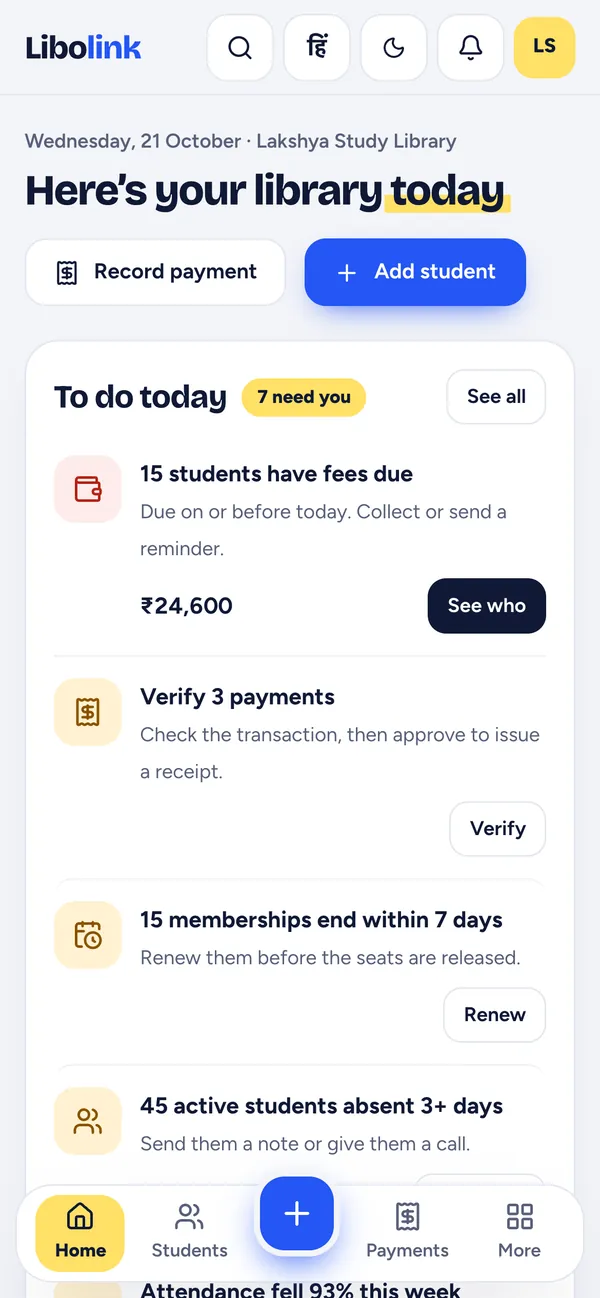
Students get a reminder and pay by UPI from their phone. You only check the UTR and approve.
Students check in with a desk QR or their location. No register, no arguments.
See booked, free and repair seats for each shift before you admit someone new.
Payments to verify, fees due, memberships ending and enquiries to call — all on your home screen.
Pick by name, by fees pending or by shift. See who read it.
Every student and staff member can use the language they are comfortable with.
Who it’s for
Built around how study libraries and reading rooms in India work: shifts, reserved seats, monthly memberships and UPI fees.
Fixed and flexible seats across morning, evening and full-day shifts, with fees and renewals that follow each membership.
Students preparing for UPSC, SSC, banking, NEET or JEE check in by QR and track study hours, goals and mock tests in their own app.
Staff accounts with permissions, branch-wise records, enquiry follow-ups and business reports as you add seats and locations.
From library owners
Real ratings from libraries using Libolink, shared with their permission.
Before Libolink, we managed student admissions, seat allotment and fee records in registers and WhatsApp. Now everything is in one place. Seat booking, fee tracking, due reminders and attendance take only a few taps. Students also like the clean experience, and we've saved hours of daily paperwork. For ₹499/month, it's great value for any study library as they also provide free websites. Highly recommended!