

Abhyasika Management Software: Run Your Study Hall From a Phone
Key takeaways
- An abhyasika rents a quiet desk by the month, usually to students preparing for MPSC, UPSC, banking and other exams.
- The daily work is the same as any study library: desks by shift, monthly fees, deposits, attendance and renewals.
- Look for desks by shift, UPI payments checked by UTR, attendance that cannot be faked and a student app.
- Libolink works in English and Hindi; it does not offer Marathi yet.
- Moving from a register takes an afternoon with an Excel import.
In Maharashtra a self-study library is usually called an abhyasika (अभ्यासिका). Students rent a desk for a shift or the whole day, mostly while preparing for competitive exams such as MPSC, UPSC, banking or police recruitment. They are common in cities such as Pune, Nagpur and Chhatrapati Sambhajinagar, and many are run by one owner with a register and a WhatsApp group.
This guide explains what abhyasika management software should do and how to move your register into it.
What an abhyasika has to manage
- Reserved desks. A student keeps the same desk every day, so the desk number is part of their membership.
- Shifts. Morning, evening or full-day desks, each with its own fee.
- Monthly fees and deposits. Fees for one, three or six months, often with a refundable deposit.
- Attendance. Owners want to know who actually studies and for how long, and parents sometimes ask.
- Rules. Silence, phone rules, food, guests and the Wi-Fi password, shared with every new student.
What changes when you leave the register
A register answers one question at a time, slowly. Software answers the questions you ask every morning in one screen:
| Question | With a register | With software |
|---|---|---|
| Which desks are free in the evening shift? | Read every page | Seat map filtered by shift |
| Who has not paid this month? | Compare two registers | A list of dues with amounts |
| Did this UPI payment really arrive? | Check the bank app one by one | Match by UTR, or upload the bank statement |
| Who came today? | Signatures at the door | Check-ins with times |
| Whose membership ends this week? | Count dates by hand | A renewals list with Call and WhatsApp buttons |
Features to look for
- Desks by shift, with a check that stops two students getting the same desk at overlapping times.
- UPI payments checked by UTR before a receipt is issued.
- Attendance that cannot be faked, such as a desk QR code that keeps changing.
- A student app, so students see their desk, days left and receipts without asking you.
- Excel import and export, so you can bring your register in and take your data out.
- Your language. Check which languages each app supports before you decide.
Moving your register into Libolink
- Start your free month and run Quick setup: desks, shifts and plans with their fees and deposits.
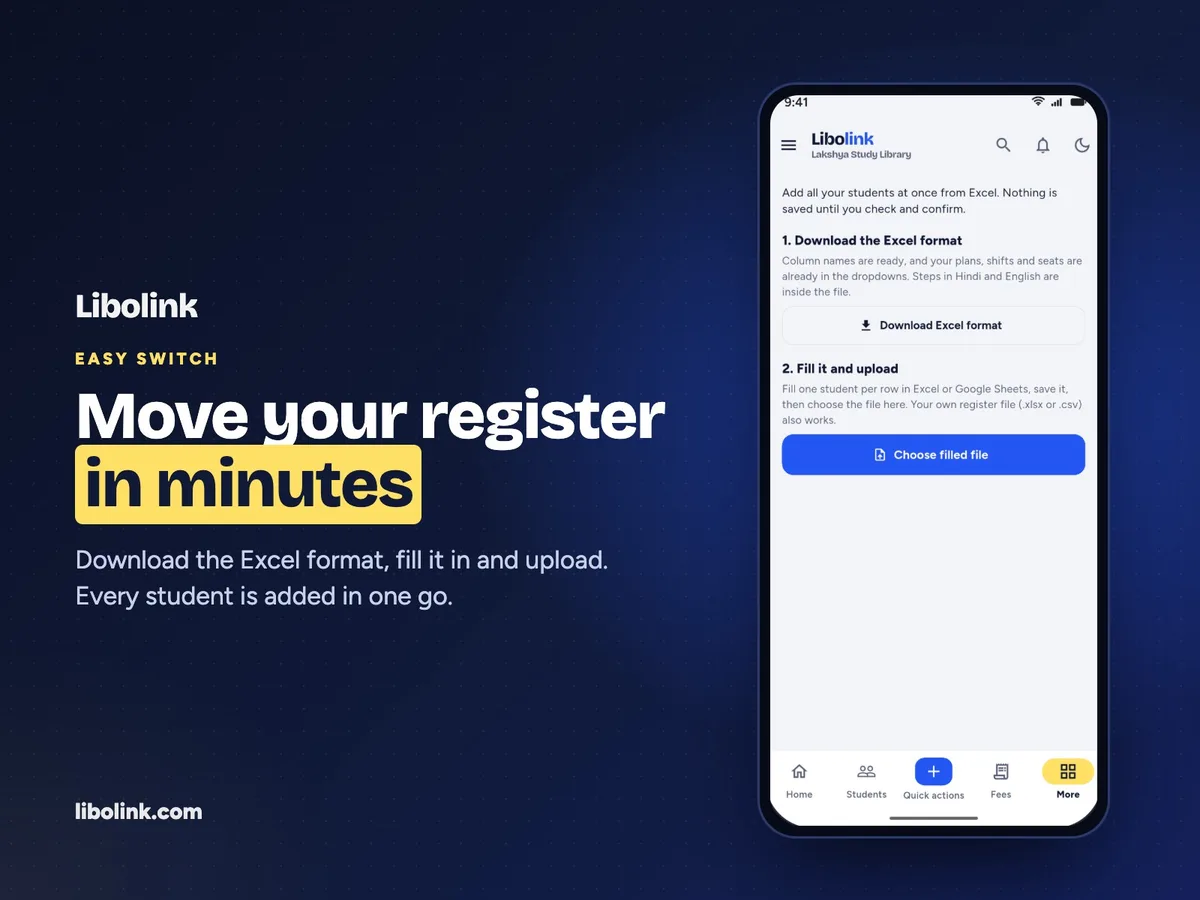
- Download the Excel format from the Import students page. Its instructions are in Hindi and English.
- Fill in one student per row: name, phone, plan, shift, desk and dates. Upload it; any row with a problem is named with the column to fix.
- Add your UPI ID in Fee collection so students can pay the exact amount from their phone.
- Share the student sign-in link on your abhyasika’s WhatsApp group.
A note on language
Libolink works in English and Hindi, and every screen can switch between them. It does not offer Marathi yet. If your staff or students need Marathi on screen, check which apps list Marathi before you choose, and tell us: we add languages that owners ask for.
What it costs
Libolink is free for the first month, then ₹499 a month, billed for 3, 6 or 12 months, with one price for up to 1,000 desks. Other apps publish prices from free plans to about ₹5,000 a year; see library management apps in India compared and our reading room software checklist.
Frequently asked questions
What is an abhyasika?
A self-study hall where students rent a quiet desk by the month, common in Maharashtra and used mostly by students preparing for competitive exams.
Is Libolink available in Marathi?
Not yet. Libolink works in English and Hindi on every screen.
Can I take a deposit with each membership?
Yes. Each plan in Libolink can have its own price and deposit, along with its duration and shift.
How do I bring my current register into the software?
Download Libolink’s Excel format, fill in one student per row and upload it. Libolink checks every row and tells you what to fix before anything is saved.