

Study Library Attendance: Register, Biometric or QR Code?
Key takeaways
- Attendance helps you spot students who are drifting away, answer parents and see which shifts are busy.
- A paper register is cheap, but easy to sign for someone else and hard to search.
- Biometric devices are hard to fool, but cost money, can fail, and store fingerprint data you must protect.
- A printed QR code can be photographed and scanned from home. A QR code that changes every minute or two cannot.
- Keep a staff-assisted option for students whose phone is not working.
Attendance is not only about who came today. It shows which students are losing interest before they quit, which shifts are crowded, and it gives you an answer when a parent asks whether their child is actually studying.
Why track attendance at all
- Catch drop-offs early. A student who has not come for three or four days may be about to leave. A quick call often keeps them.
- Answer parents. Many students' fees are paid by parents who want to know the seat is being used.
- Plan shifts. Real check-in times show which shifts are full and which have room.
- Enforce rules. You can see who regularly stays past their shift.
The options compared
| Method | Cost | Can it be faked? | Effort for staff |
|---|---|---|---|
| Paper register | Very low | Easily: anyone can sign for a friend | Medium: pages to search and total |
| Biometric device | Device purchase and upkeep | Hard | Low, until the device fails |
| Printed QR code | Very low | Easily: a photo of the code works from home | Low |
| Changing QR code in an app | Software subscription | Hard: the code expires quickly | Low |
| Staff marks in an app | Software subscription | Depends on staff | Medium |
Paper register
The simplest option: students sign in and out with the time. It costs nothing, but signatures are easy to fake, pages are hard to search, and you cannot quickly see who has been absent for a week.
Biometric devices
Fingerprint and face devices are hard to fool. The drawbacks are the purchase price, breakdowns and power cuts, queues at peak times, and the biometric data you end up storing. Under India's Digital Personal Data Protection Act, 2023, you are responsible for protecting the personal data you collect, so consider whether you really need it.
Printed QR codes
A QR code stuck on the wall is easy to set up, but the same code works every day. Once someone photographs it, anyone can scan it from home.
A changing QR code with a student app
The QR code is shown on a phone or tablet at the desk and changes every minute or two. Students scan it with their own app when they arrive. Because the code expires quickly, a photo sent to a friend stops working almost at once. Some apps add an optional location check, but phone location has accuracy limits and cannot prove physical presence on its own.
Always keep a fallback
Phones run out of battery and cameras break. Staff should be able to check a student in or out by hand, with a note of the reason, so the record stays complete.
Using attendance data
- Each morning, look at students absent for three or more days and send a short message or call.
- Each month, compare check-ins by shift to decide whether to add seats or a shift.
- Show students their own attendance when they ask. For many, seeing their streak keeps them coming.
How Libolink handles attendance
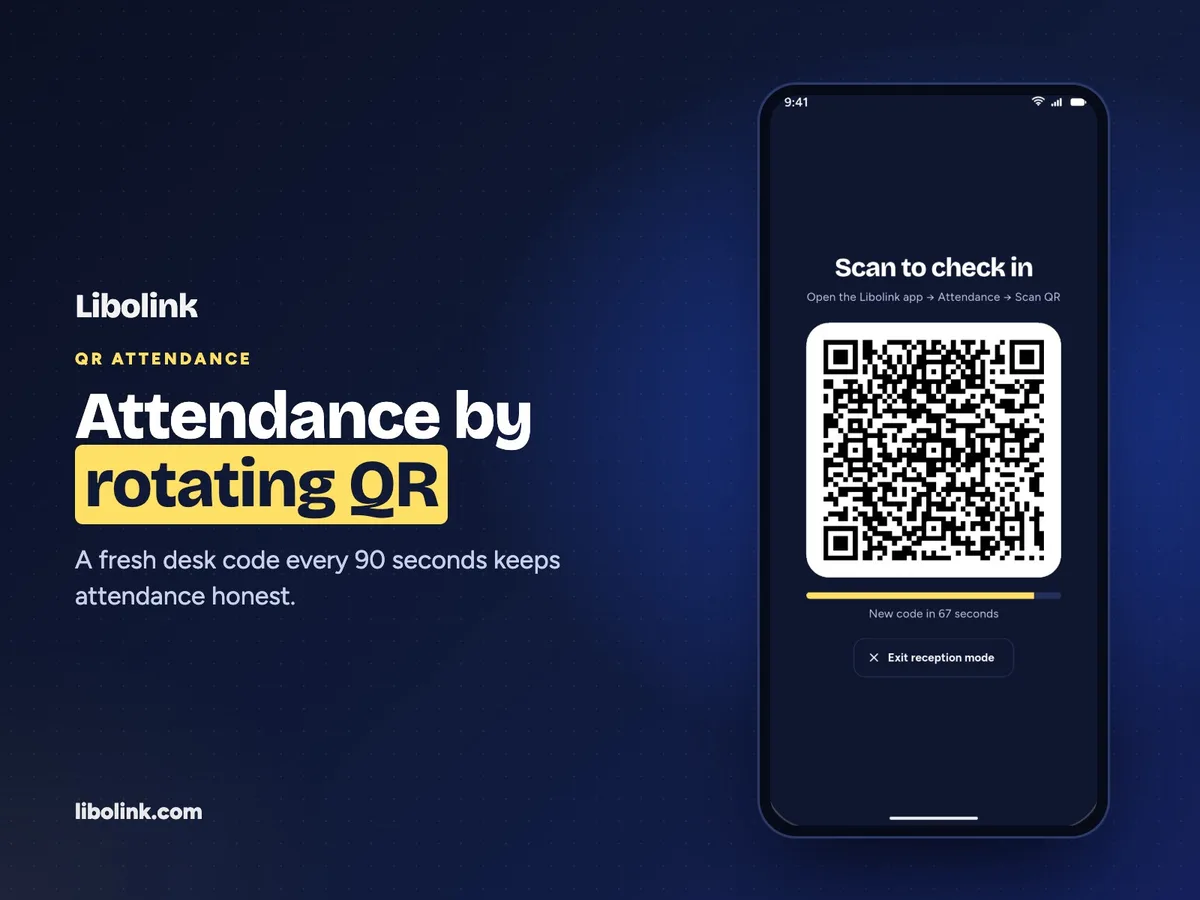
Libolink's reception mode shows a large QR code on a phone or tablet at the desk. It changes every 90 seconds, and students scan it from the Libolink app to check in. You can turn on a location check so students can check in only from the library. Staff-assisted check-in, with a reason, covers students without a working phone. The home screen lists students who have not come for three or more days, so you can follow up. See the features or take the product tour.
Frequently asked questions
What is the best attendance system for a study library?
A QR code that changes every minute or two, scanned from a student app, is hard to fake and cheap to run. Keep a staff-assisted option as a fallback. Biometric devices are accurate but cost more and store sensitive personal data.
Can students fake QR code attendance?
With a printed QR code, yes: a photo of it works from anywhere. A QR code that changes every 90 seconds or so expires before a photo can be shared and used.
Does location-based attendance prove a student is in the library?
Not on its own. Phone location has accuracy limits, so it works best as an extra check alongside a changing QR code.