

Library Management Software Free Trial: 30 Days, No Card Needed
Key takeaways
- The first 30 days are free, with full access to every feature: seat map, fees, reminders, attendance, student app, website and staff logins.
- No credit card or debit card is needed to start, and nothing is ever charged automatically.
- The trial has the same limits as the paid plan, so you can run your whole library on it, not a cut-down demo.
- If you continue, you choose a plan and pay by UPI. If you do not, your data is kept and you can still view and export it.
- The best way to judge any library software is to run a real month of your own library on it.
Choosing software for your library is a real decision: your students, fees and seats will live in it. You should be able to try it properly before paying anything. That is why Libolink's trial is a full month, with everything switched on, and no card.
What the free trial includes
Everything. There is no "trial edition" with features locked away.
- Seat map by floor and shift, with who is in the library right now
- Fees by direct UPI, online payments and cash, with automatic receipts
- 7-3-1 reminders: automatic fee and renewal reminders, with WhatsApp follow-up
- QR attendance with a code that changes every 90 seconds
- A student app for every student: library card, fees, notices, study timer and study material
- Your free library website with an enquiry form that sends leads into the app
- Staff logins with ready-made roles, and as many branches as you need
- Business analytics: revenue, expenses, profit and fees still to collect
- Hindi and English, on any phone or computer
The trial has the same limits as the paid plan (at the time of writing, up to 1,000 students, 1,000 seats and 25 staff logins), so even a large library can move in completely.
No credit or debit card
You sign up with your name, phone, email and library details. We do not ask for a credit card, debit card or UPI mandate, and nothing is charged when the month ends. If you decide Libolink is not for you, you simply do nothing.
How to use your 30 days
Here is a plan that gets the most out of the month.
Day 1: set up in under an hour
- Register your library and confirm your details.
- Add your shifts (morning, evening, full day) and your monthly plans with their fees.
- Add your seats, floor by floor. Seat numbers like A1 to A40 can be added in one go.
- Add your UPI ID or QR, so students can pay from the app.
Days 2–3: bring in your students
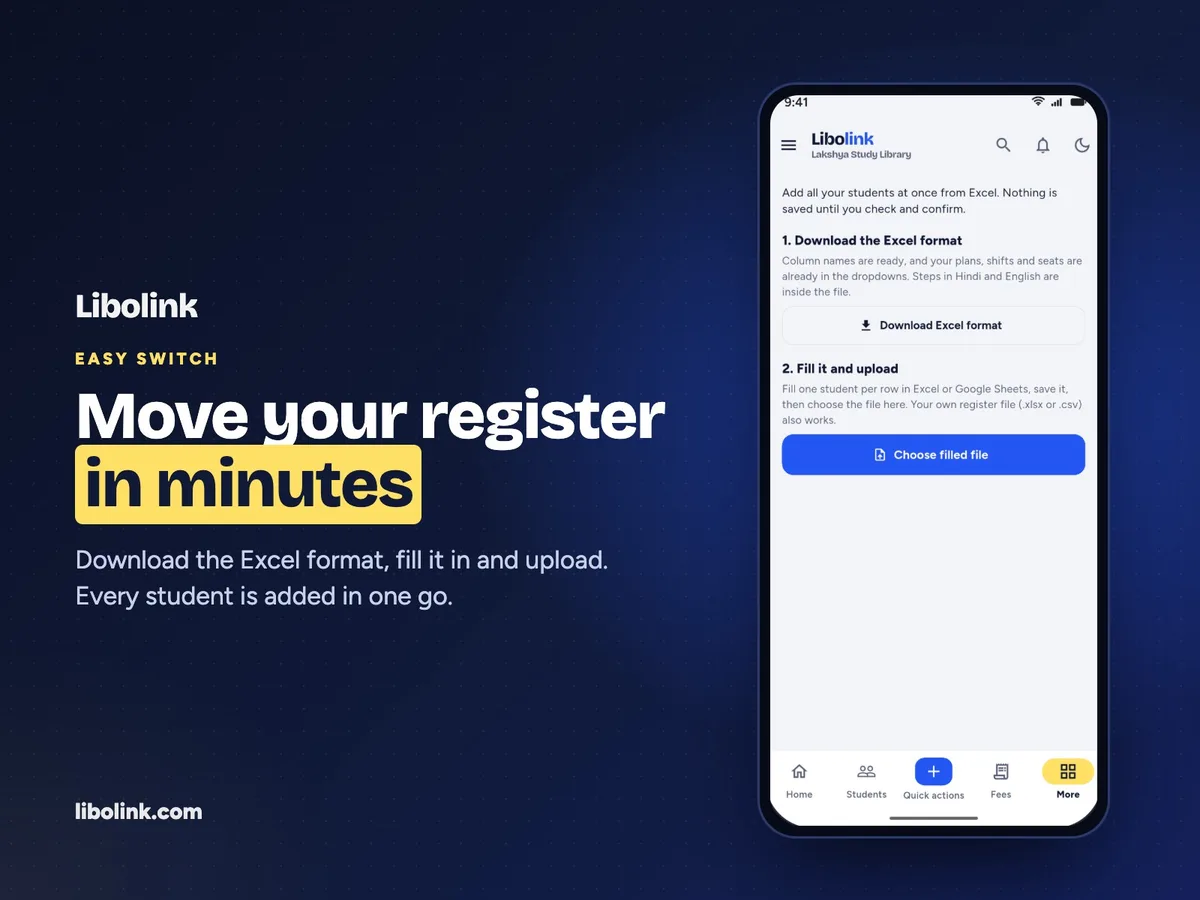
Download the Excel format from Import students, fill one row per student and upload it. The template already lists your plans, shifts and seats, with instructions in Hindi. Each student gets their own login. If you prefer, add a few students by hand first.
Week 1: run the desk
Put the rotating QR on a phone or tablet at the desk for check-in, record a UPI payment and a cash payment, and give one absent student's seat to someone else for the day. Let your staff log in with their own roles.
Weeks 2–4: watch the automation work
By now the 7-3-1 reminders are going out on their own, payments are arriving with UTRs, and your home screen shows what needs you each morning. Publish your library website, share its link on WhatsApp and Google, and see enquiries arrive on the Leads board.
At the end of the month, compare: how many fees were late, how much time the desk spent on registers, and how many enquiries you followed up.
What happens when the 30 days end
- To continue: choose a plan and pay by UPI. At the time of writing (October 2026), Libolink costs ₹499 a month, billed quarterly, half-yearly or yearly, and the yearly plan works out cheapest. See pricing for current terms.
- If you stop: your data is kept. You can still sign in, view and export your records, and renew whenever you are ready.
- Students never pay Libolink. The subscription is the library's; students pay only their library fees, directly to you.
Why a full month matters
A week is not enough to see a fee cycle. Thirty days lets you see a whole month of due dates, reminders, renewals and payments, which is exactly where software saves money. If Libolink has not made your month calmer by the end of it, you should not pay for it.
Start your free month or take the product tour first with sample data.
Frequently asked questions
Does Libolink have a free trial?
Yes. Your first 30 days are free, with full access to every feature and the same limits as the paid plan.
Do I need a credit card or debit card for the free trial?
No. You sign up with your name, phone, email and library details. No card or UPI mandate is needed, and nothing is charged automatically.
What happens to my data after the trial?
It is kept. If you do not continue, you can still sign in, view and export your records, and renew later.
Is the trial a limited demo?
No. It is the full product with your own students, fees and seats. If you want to look around first without signing up, the product tour uses sample data.