

7-3-1 Fee Reminders for Libraries: App Alerts, Then WhatsApp
Key takeaways
- Libolink sends fee reminders by itself, 7, 3 and 1 days before the due date, on the day, and 1 and 7 days after. You do not send anything by hand.
- Membership renewal reminders follow the same 7-3-1 pattern before a plan ends.
- Reminders arrive in the student app and as phone notifications, with the exact amount and date, in Hindi or English.
- If a student ignores the app alert for a day, or has no app, the same reminder can go on WhatsApp automatically.
- Reminders stop the moment the fee is paid or the plan is renewed, so nobody is chased after paying.
Most late library fees are not refused, they are forgotten. A student studying ten hours a day loses track of dates, and a busy owner cannot message eighty students one by one. Libolink solves this with an automatic reminder schedule we call 7-3-1, and a WhatsApp follow-up for students who do not open the app.
What 7-3-1 means
For every student with a fee due, Libolink sends a reminder:
| When | What the student sees |
|---|---|
| 7 days before | An early, friendly reminder with the amount and due date |
| 3 days before | A second reminder |
| 1 day before | A last reminder before the due date |
| On the due date | "₹800 due today" |
| 1 day after | An overdue reminder |
| 7 days after | A final overdue reminder |
The same schedule runs for membership renewals: 7, 3 and 1 days before the plan ends, on the day, and after it. Students get early warning, and you get renewals before seats go empty.
You set the due dates once, when you add a student or record a plan. From then on, the reminders run every day on their own.
App and phone notifications first
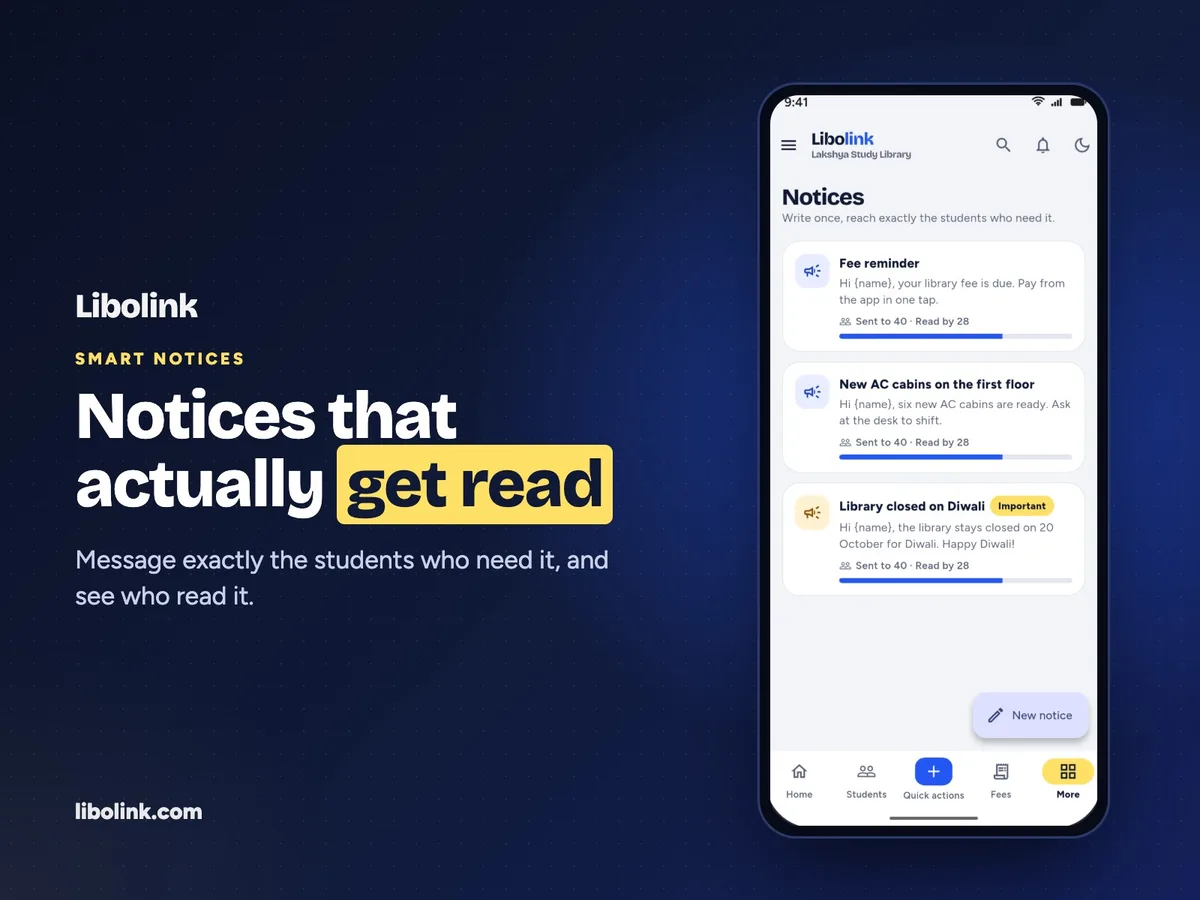
Every reminder reaches the student in the Libolink app and as a notification on their phone. Inside the app it says exactly what is due, for example "₹800 due on 5 Nov 2026", in Hindi or English, whichever the student uses. The lock-screen text stays short and private, so nobody looking at the phone sees the amount.
From the reminder, the student taps through to their fee and pays your UPI ID with the exact amount filled in. See Library Fee Collection Without Commission.
WhatsApp if they ignore the app
Some students switch off notifications or rarely open apps. For them, Libolink can send the same reminder on WhatsApp, automatically:
- The reminder goes to the app first.
- If the student has not opened it within a day, or has no app installed, the reminder goes on WhatsApp.
- If they read it in the app, no WhatsApp message is sent, which keeps your message count low.
You choose how often:
- Key days only: 3 days before and on the due date (fewer messages).
- With every app reminder: the full 7-3-1 schedule, plus on the day and 1 and 7 days after.
Sensible limits built in
- WhatsApp reminders go out only between 9 AM and 8 PM, library time.
- A student who has paid or renewed is never messaged.
- Students' own notification choices and quiet hours are respected.
- You set a daily limit, and recent WhatsApp reminders are listed with whether each was sent.
Whose WhatsApp number sends them
Today you connect your library's own WhatsApp Business number (through Meta's WhatsApp Cloud API), with fee and renewal message templates approved by Meta. Messages come from your number, and Meta bills you directly for them. Libolink adds no charge on top. Messages sent from Libolink's own number, with a monthly allowance included in the plan, are coming soon.
Your follow-up list for the rest
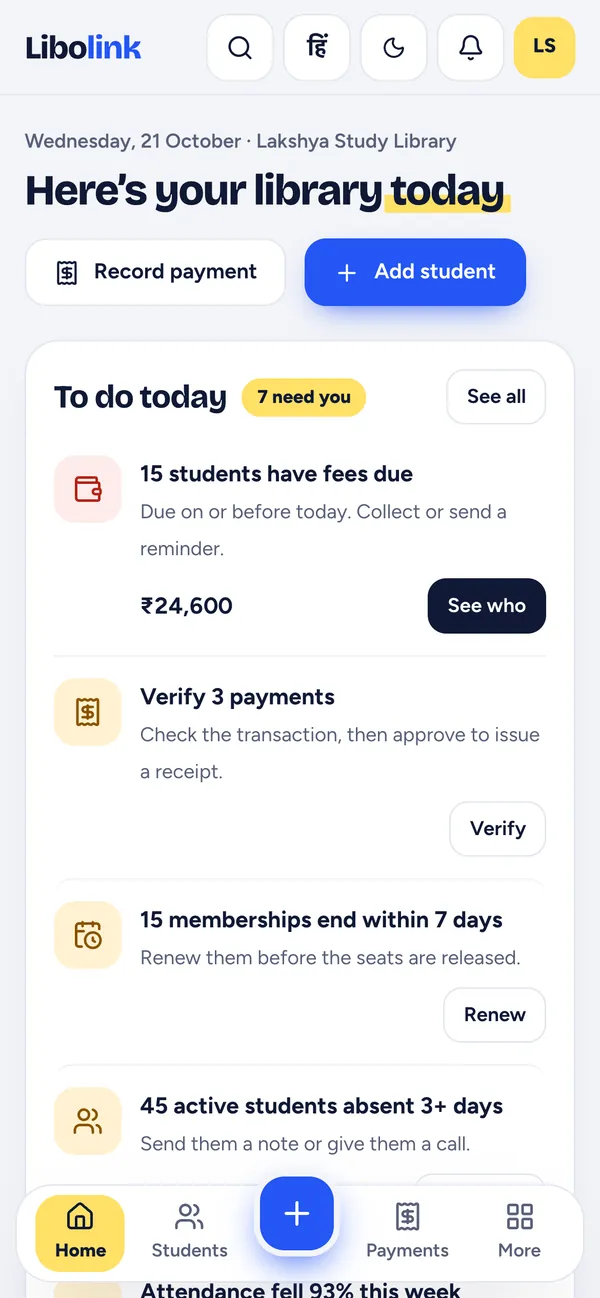
Reminders handle the routine. For the few who still do not pay, your home screen shows To do today: how many students have fees due and the total. Tap See who for the list, each student with Call, WhatsApp, a ready-written SMS, Send note and Collect fee. Memberships ending within 7 days and students absent for three or more days have their own lists.
Why this works better than manual reminders
- Nobody is missed. The schedule runs for every student, every day, even when you are away.
- Nobody is chased after paying. Reminders stop the moment the payment is approved.
- No awkward calls. The app reminds them, so your conversations stay friendly.
- Less of your time. You deal only with the few who are still overdue.
For setting due dates, grace periods and late fees, read How to Collect Library Fees by UPI and Cash. To see reminders running with your own students, start a free 30-day trial. No card is needed.
Frequently asked questions
What are 7-3-1 fee reminders?
Automatic reminders sent 7, 3 and 1 days before a student's fee due date, then on the day and after it. Libolink sends them in the student app and as phone notifications, and stops as soon as the fee is paid.
Does Libolink send fee reminders on WhatsApp automatically?
Yes. Connect your library's WhatsApp Business number and Libolink sends fee and renewal reminders on WhatsApp, by default only when the student has not opened the app reminder within a day or has no app.
Who pays for the WhatsApp messages?
When you connect your own WhatsApp Business number, Meta bills you directly and Libolink adds nothing. Messages from Libolink's own number, with a monthly allowance in the plan, are coming soon.
Will a student get a reminder after paying?
No. Reminders and WhatsApp messages stop as soon as the payment is approved or the membership is renewed.
Are renewal reminders sent too?
Yes. Membership renewal reminders follow the same pattern: 7, 3 and 1 days before the plan ends, on the day and after it.