

Why Libolink Is the Best Fit for Running a Self-Study Library
Key takeaways
- Libolink is built only for self-study libraries and reading rooms, not book lending, so every screen is about seats, shifts, fees and students.
- UPI payments are checked against the UTR before a receipt is issued, so fake screenshots do not slip through.
- Attendance uses a QR code that changes every 90 seconds, with an optional location check.
- Every student gets their own app with a library card, receipts, notices and a study timer, on Android, iPhone and the web.
- One plan includes everything, with a 7-day free trial. At the time of writing it costs ₹499 a month.
There are many ways to run a study library: a register, an Excel sheet, a general billing app, or software made for the job. This page explains what Libolink does differently, and where it may not be the right choice, so you can decide for yourself.
Built only for self-study libraries
Most "library software" in India is made for book-lending libraries in schools and colleges: catalogues, barcodes, book issue and return. Libolink does none of that. It is made for libraries that rent seats by shift and collect monthly fees, so the daily screens are about what you actually manage:
- Students and their memberships
- Seats, shifts and the seat map
- Fees, receipts and pending dues
- Attendance
- Enquiries and follow-ups
A home screen that tells you what to do today
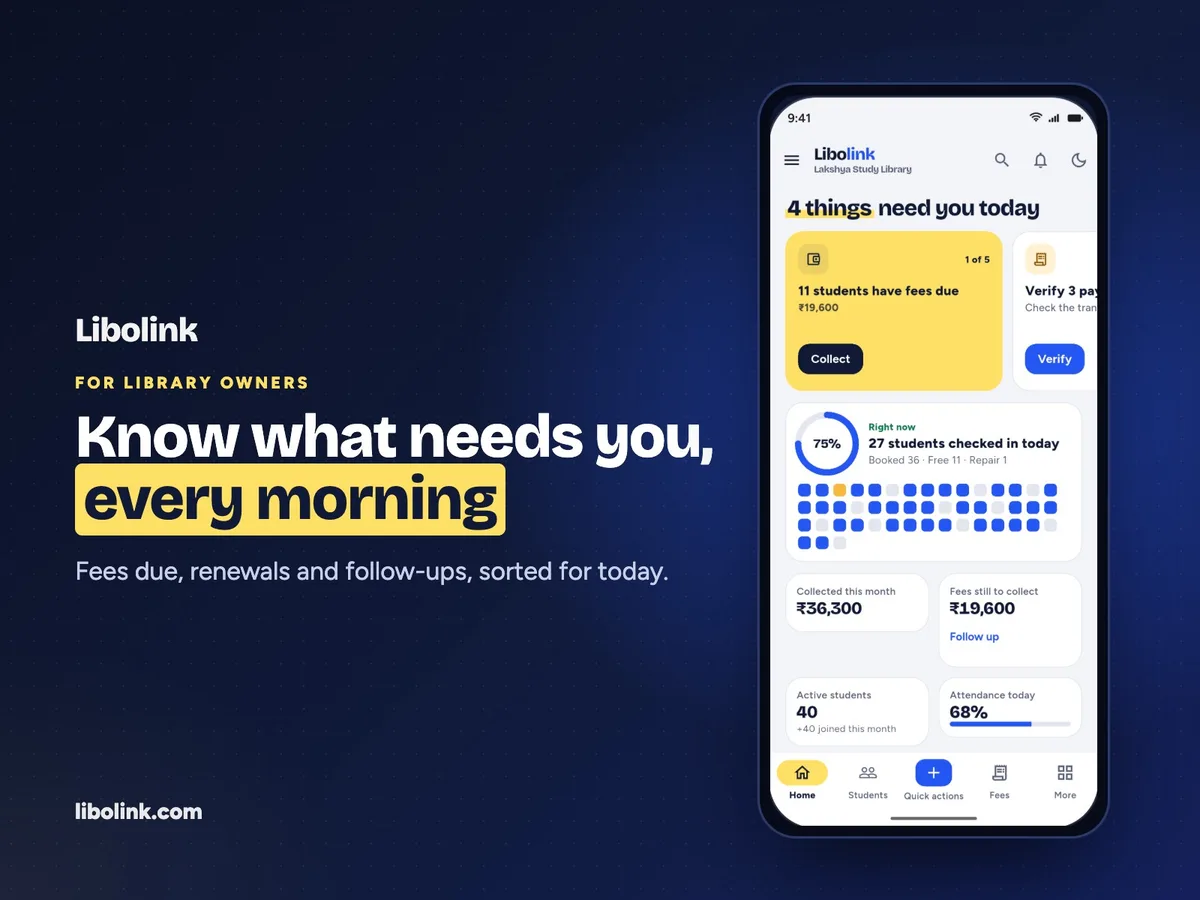
When you open Libolink, the first thing you see is To do today: fees due, UPI payments waiting for your check, memberships ending soon, students who have not come for three or more days, and enquiries to call back. Each item has its own button, such as Collect, Renew or Call, and when everything is done it says so. You do not have to search through registers to find the day's work.
Fees you can trust
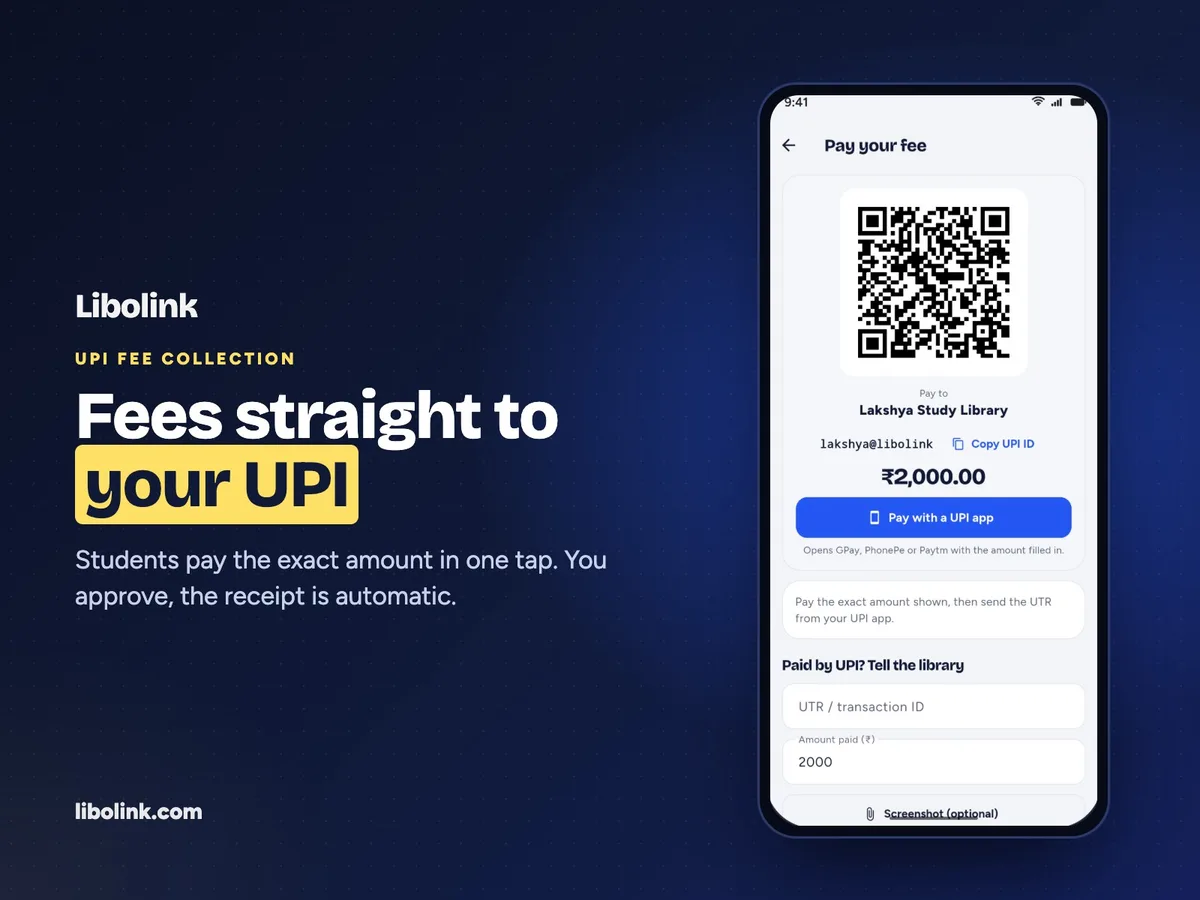
- Students pay by UPI from their own app and submit the UTR.
- You match the UTR in your bank app and approve. Only then is a receipt created, and it reaches the student automatically.
- Cash and counter payments are recorded in the same place, with an instant receipt.
- Refunds are recorded against the original payment, so revenue figures stay correct.
- Optional online checkout through Razorpay, if you want card and UPI payments to confirm themselves.
This closes the most common gap in study library fees: a payment screenshot that nobody can verify. How to Collect Library Fees by UPI and Cash explains the method in detail.
Seats without double booking
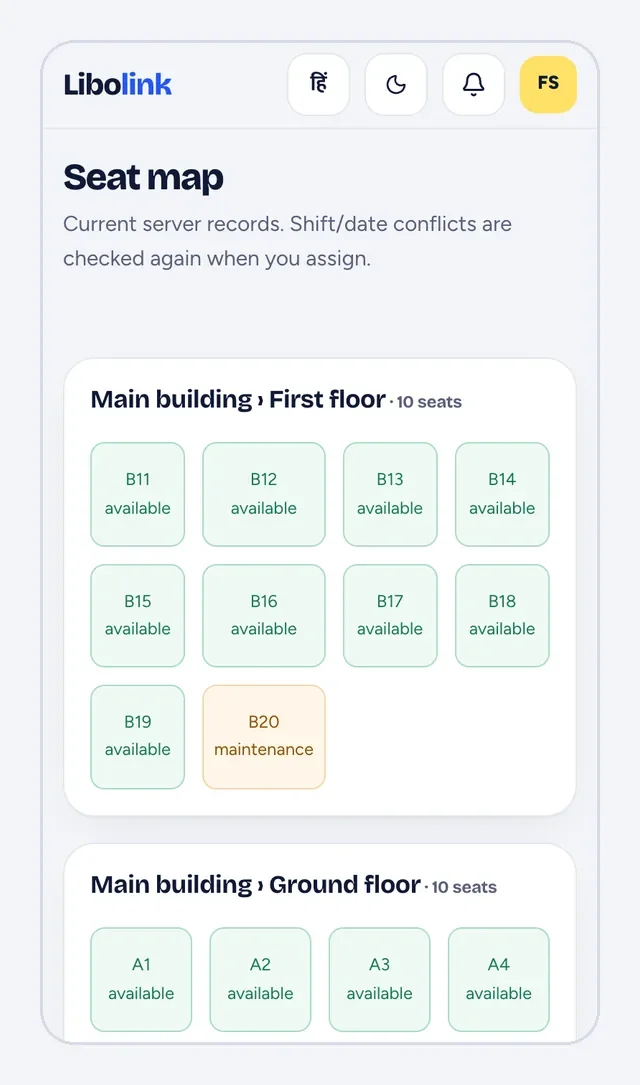
You set up shifts with their timings and capacity, and seats by building, floor or room. When you give a student a seat, Libolink checks that the seat is free in that shift and stops you if it is not. Broken seats can be marked as under maintenance, and when you are full, students go on a waitlist and can be admitted the moment a seat opens.
Attendance that is hard to fake
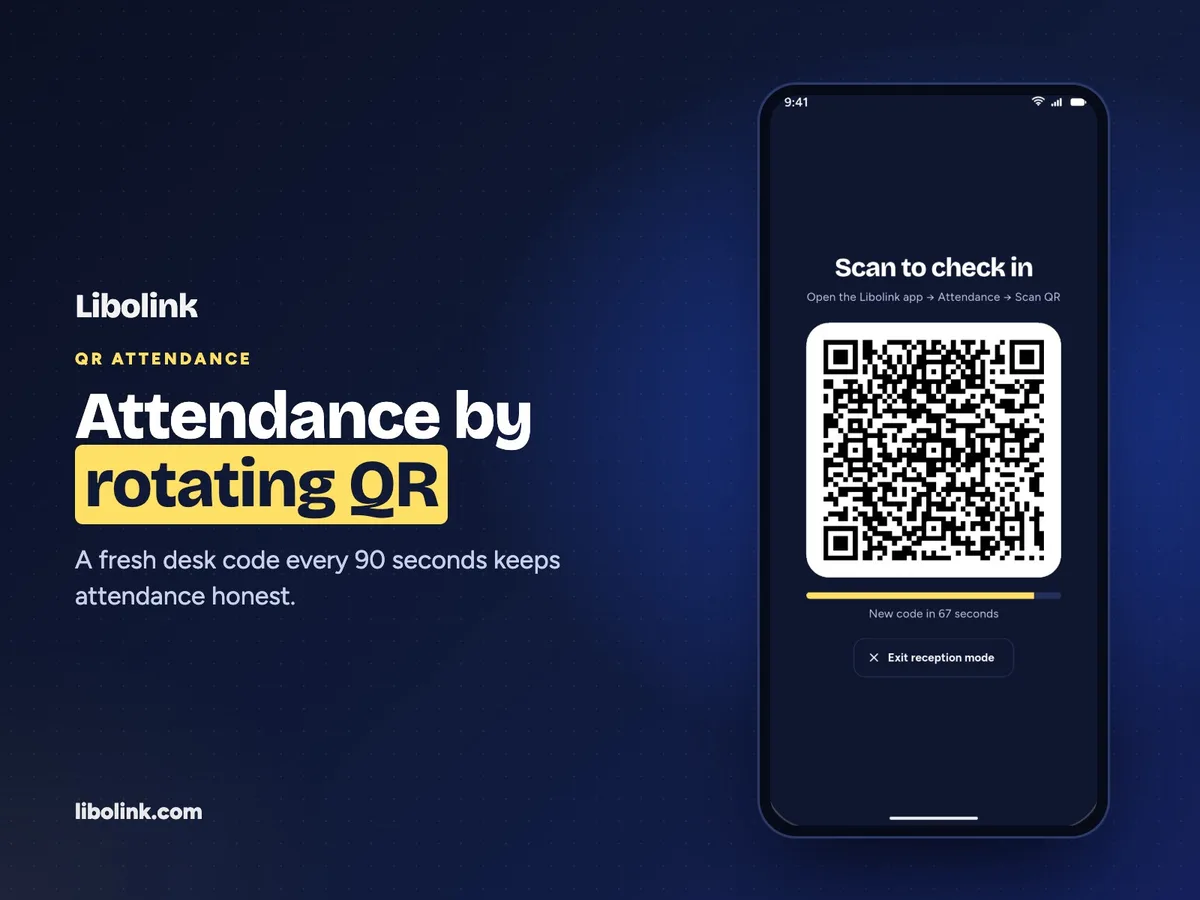
Reception mode shows a large QR code on a phone or tablet at the desk. The code changes every 90 seconds, so a photo shared with a friend stops working almost at once. You can add a location check so students can check in only from the library, and staff can check a student in by hand, with a reason, when a phone is not working. There is no fingerprint device to buy or repair.
An app for every student
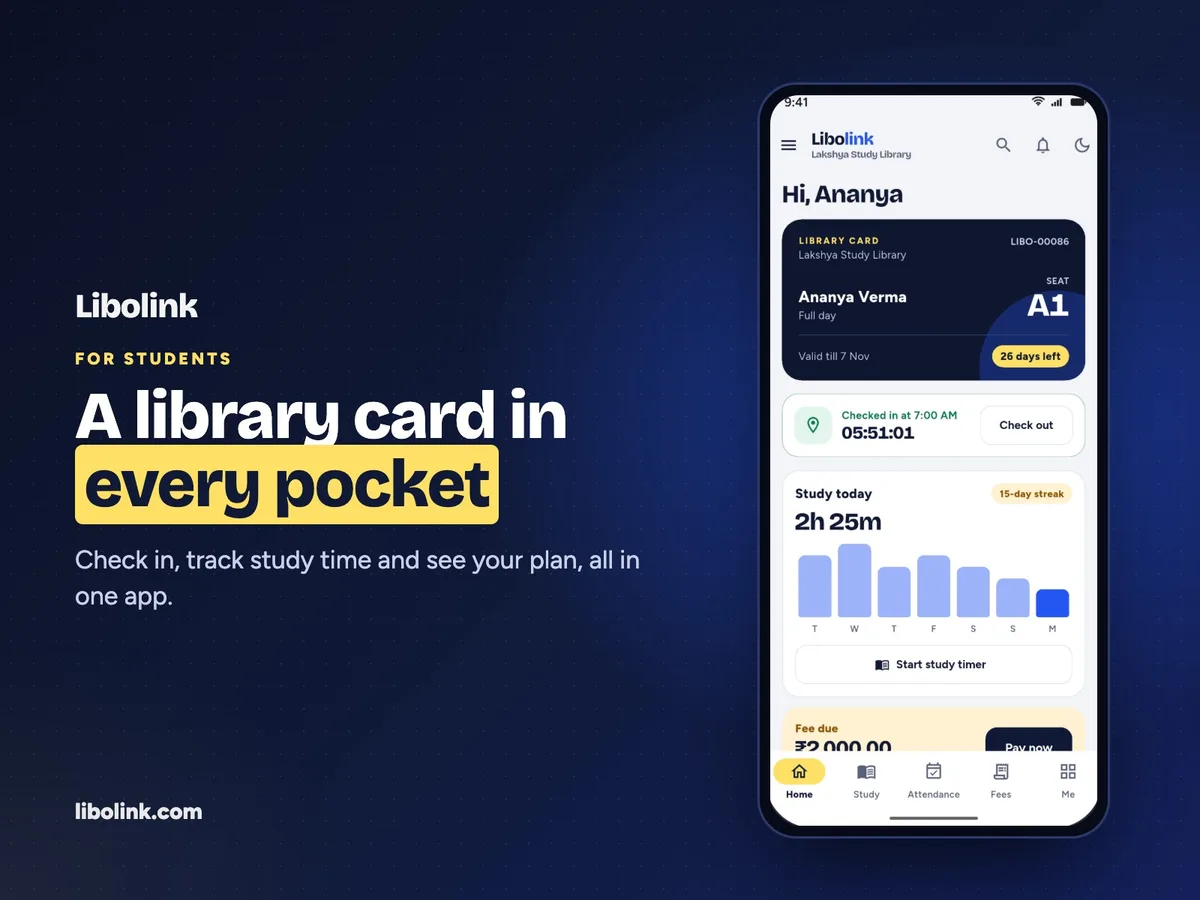
This is the part students notice. Each student logs in with your Library Code, their Student ID and a password, and gets:
- A digital library card
- Their fees, receipts and a Pay now button
- Notices from the library, with phone notifications
- Their attendance history
- A study timer, goals, habits, exam dates, syllabus tracking and mock-test scores
Students stop asking the desk how much they owe or when their plan ends, and the study tools give them a reason to open the app every day. They can also raise complaints and requests, such as a seat change or a Wi-Fi or AC problem, from the app, so issues reach you before they turn into cancellations.
Tools to bring in new students
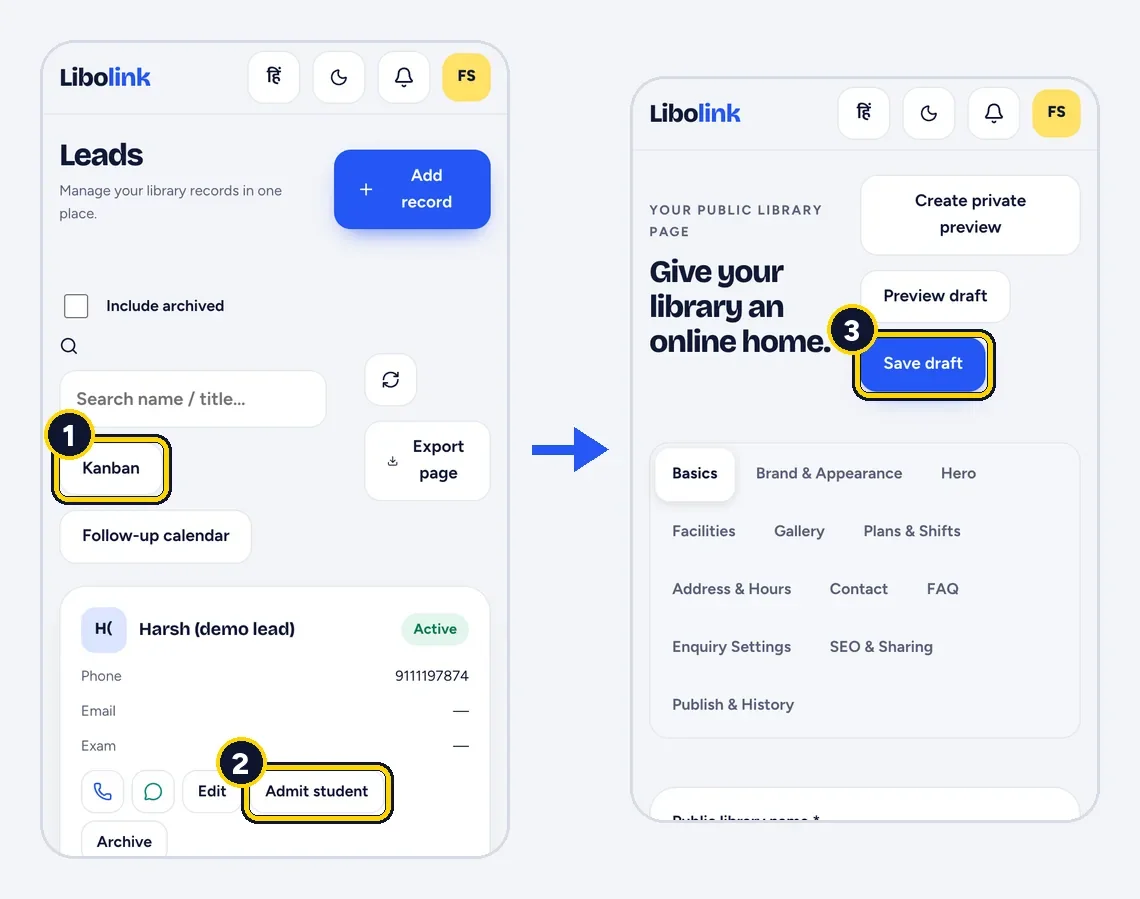
- A public web page for your library, with photos, facilities, timings, plans, an enquiry form and a WhatsApp share button.
- An optional listing in the Libolink library directory.
- A Leads board with stages and a follow-up calendar, so no enquiry is forgotten.
- Admit student, which turns an enquiry into a student with their details already filled in.
Works the way Indian libraries work
- Hindi and English, switchable at any time.
- Android, iPhone and any web browser, with the same account everywhere.
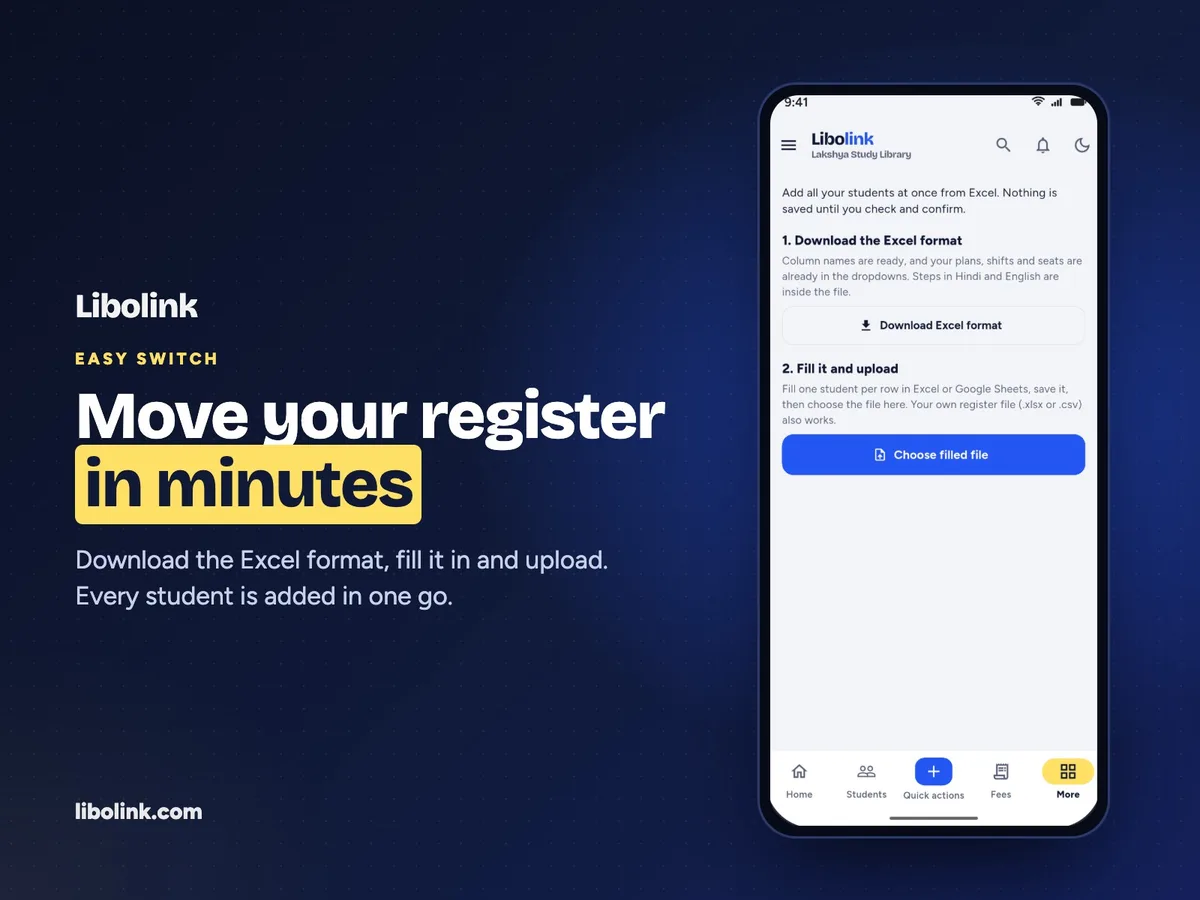
- Import existing students from an Excel sheet. The template already lists your plans, shifts and seats, with instructions in Hindi.
- Separate staff logins with permissions, so a receptionist sees only attendance and fees if that is all they need.
- Business analytics with fee revenue, expenses, estimated profit and outstanding fees.
One simple price
At the time of writing (October 2026), Libolink has a single plan at ₹499 a month with a 7-day free trial. It covers up to 1,000 students, 25 staff accounts and 1,000 seats, and includes the student app, your library web page, attendance and fees. Students do not pay for the app. See pricing for current terms.
Your data stays yours
- Students see only their own records, and staff see only what their permissions allow.
- Libolink support can open a library's data only through an explicit, time-limited grant, and every such access is logged.
- If your subscription lapses, your data is kept, and you can still view and export it while you renew.
When Libolink may not be the right fit
- You run a book-lending library. Libolink has no catalogue or book issue and return. A school, college or public library needs an integrated library system instead.
- You want automated SMS or bulk WhatsApp messages. Notices reach students in the Libolink app and as phone notifications. WhatsApp is one tap per student, not automated bulk messaging.
- You need fingerprint or face devices. Libolink uses QR codes and phones rather than biometric hardware.
- Your library is outside India. Libolink is built around UPI, rupees, Hindi and English.
Try it with your own library
The fairest test is your own setup. Start the free trial, add your shifts, plans and part of your seat map, add a few real students, and record one UPI and one cash payment. Start a free trial, take the product tour or compare features.
Frequently asked questions
What is the best library management software for a self-study library in India?
Look for software built for study libraries: seats by shift, UPI fee verification with receipts, attendance that is hard to fake, and a student app. Libolink was built for exactly this, in Hindi and English, on the web, Android and iPhone. Try it alongside one or two others with your real seat map.
How much does Libolink cost?
At the time of writing (October 2026), Libolink has one plan at ₹499 a month with a 7-day free trial, covering up to 1,000 students, 25 staff accounts and 1,000 seats. See the pricing page for current terms.
Do students pay for the Libolink app?
No. Students use the app with the login their library gives them. The library pays for its Libolink subscription, and students pay only their library fees, directly to the library.
Can I move my existing students into Libolink?
Yes. Download the Excel format from Import students, fill one row per student and upload it. Libolink checks every row, nothing is saved until you confirm, and each student gets their own login.