

How to Stop Fee Leakage at Your Library Front Desk
Key takeaways
- Most lost fee money comes from gaps in the process and honest mistakes, not dishonest staff. Fix the gaps first.
- Separate the two jobs: one person records a payment, another approves it and issues the receipt.
- Never accept a UPI screenshot as proof. Check the UTR and amount in your own bank app.
- Allow discounts and old-fee changes only for people you choose, and keep a record of who did what.
- Count cash daily and match it to recorded payments. A difference found today is easy to explain, and one found next month is not.
Fee leakage is money a student paid or should have paid that never reaches your accounts. It rarely looks dramatic. It is ₹500 here, a forgotten entry there, or a discount nobody can explain. In a library with thin margins, it can be the difference between profit and loss. See Self-Study Library Costs and Profit.
Before anything else: do not start by suspecting your staff. Most of this is honest mistakes in a busy room. Good checks protect honest staff too, because nobody can ever accuse them.
Where the money goes
| The leak | What it looks like |
|---|---|
| Cash not written down | A student paid at a busy moment, and the entry never happened |
| Fake or repeat UPI screenshot | The picture looks right, but the money never arrived |
| Unofficial discounts | "Sir said ₹200 less", with no record of who agreed |
| Fees that are simply forgotten | Nobody noticed the due date passed |
| Students sitting without paying | The plan ended, but they still come every day |
| Refunds with no record | Money went out, and nothing shows why |
Signs that money is leaking
- Seats look full, but collections do not rise.
- Cash in hand rarely matches what was written down.
- A student says they paid, and nobody can find the entry.
- Receipt numbers skip, or the same number appears twice.
- You find discounts nobody remembers giving.
One of these on its own may mean nothing. Several together are worth an hour with your records.
Six checks that stop most of it
1. Split recording from approving
The person who takes the money should not be the only person who confirms it. Desk staff record the payment, and you or your accountant approve it. The receipt comes only after that. This one rule closes most of the gaps.
2. Take UPI straight into your own account
Ask students to pay your library's UPI ID, not a staff member's personal number. Put the QR at the desk, and check it now and then to make sure it is still yours.
3. Trust the UTR, not the screenshot
Screenshots can be old, edited or sent twice. Ask for the UTR, the 12-digit transaction number, and find it in your bank app with the right amount before approving.
4. Count cash every day
At closing, count the cash and match it to the day's recorded cash payments. Write down any difference that day. Small differences are normal. A pattern is worth a conversation.
5. Make discounts a named decision
Decide who can give a discount and how much. Anything else needs your approval. If you run a real offer, set it up properly, with a price and an end date, so nobody has to improvise. See Library Offers and Discounts.
6. Check attendance against fees
Once a week, compare who is coming with who has paid. A student at their seat every day with a plan that ended last month is the easiest leak to fix.
Setting this up in Libolink
Staff roles
Under Staff & permissions, each person gets their own login. Start from a ready-made role, then change any tick.
| Role | Can record payments | Can approve and give receipts | Can start plans and give discounts |
|---|---|---|---|
| Reception desk | Yes | No | No |
| Accounts | Yes | Yes | No |
| Manager | Yes | Yes | Yes |
| View only | No | No | No |
The owner can do everything. These are the roles as they come, and the database checks the permission again on every action, so a hidden button is not the only protection.
Payments wait for you
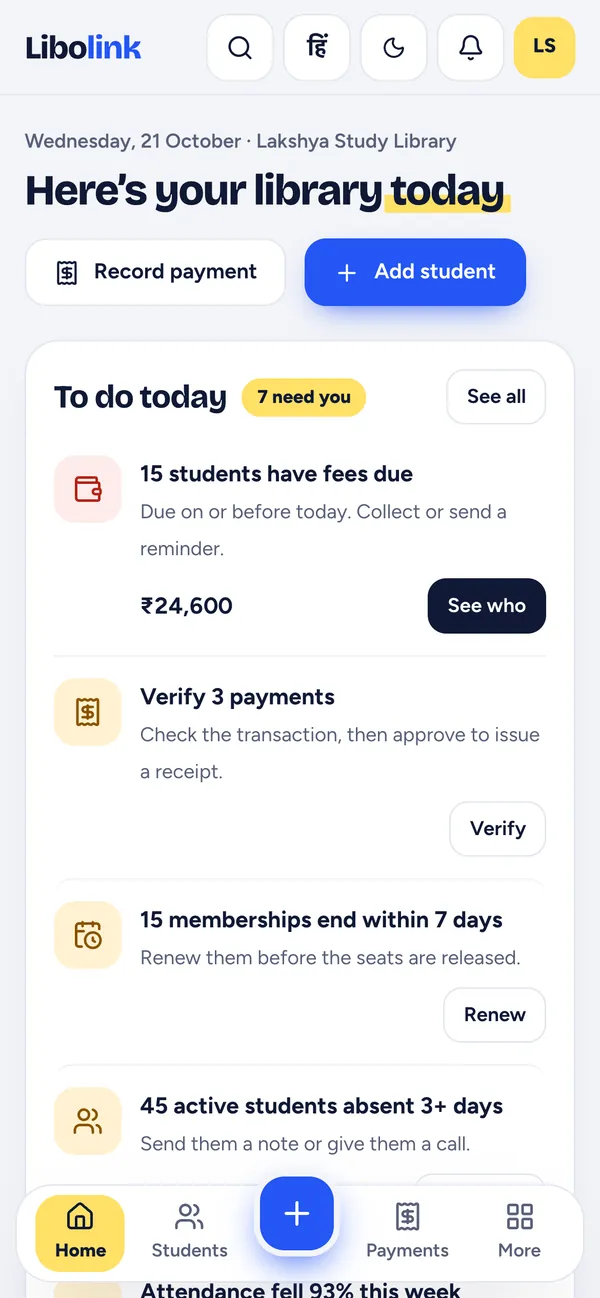
When someone who cannot approve records a fee, it waits in Payments, and your home screen shows "Verify 3 payments". You check it and approve it, and only then does the receipt appear. If something is wrong, you reject it with a reason.
Bank statement check
On the website, Check with bank statement lets you upload your statement. Each pending UPI payment is matched by its UTR and amount, and shows as found, UTR found with a different amount, or not in the statement. Only full matches are offered for approval.
Discounts and old fees
Discounts are given when a plan is started, which needs the memberships permission. Marking old periods as paid, or typing an old amount, needs permission to approve payments. See Entering Old Pending Fees.
Refunds and history
Refunds need a reason and show on the receipt, and fee revenue is shown after refunds. Audit history records important actions, such as forgiving a student's old dues.
Fees that are simply forgotten
7-3-1 reminders go out by themselves, and Fees due shows who still owes what. A student's profile shows their plan, fees and attendance calendar in one place.
How to bring this in without offending anyone
Tell staff plainly: "This protects you. If a student ever says they paid, we can show exactly what happened." Then apply the same rules to everyone, including yourself. When you take cash, record it too.
Try the roles with your own team in a free 30-day trial. No card is needed, and staff training is free.
Frequently asked questions
How do I stop staff from taking fee money at my library?
Separate recording from approving, take UPI directly into your own account, give a receipt only after you approve, and match cash to recorded payments daily. These checks protect honest staff too.
How can I check whether a UPI screenshot is fake?
Ignore the picture. Ask for the 12-digit UTR, and find that UTR with the right amount in your own bank app or statement before approving.
Can my receptionist record fees but not approve them?
Yes. In Libolink, the Reception desk role records payments, and they wait in Payments until you or someone you allow approves them. The receipt is created at that point.
Can reception give discounts in Libolink?
Not with the ready-made Reception desk role. Discounts are given when a plan is started, which needs the memberships permission, and you choose who gets it.
How do I check payments against my bank statement?
On the Libolink website, upload your statement in Check with bank statement. Pending UPI payments are matched by UTR and amount, and only full matches are offered for approval.