

Looking for a Better Library App? How to Switch Without Losing Data
Key takeaways
- Owners usually look for a new library app for one of three reasons: fees still slip, students never open the app, or the price keeps rising as the library grows.
- Before switching, compare the daily desk work, not the feature list: seats by shift, UPI fee checks, attendance, reminders and what students get.
- Moving takes about an afternoon: export your students to Excel, run Quick setup for seats, shifts and plans, and import the file.
- Libolink is free for 30 days with every feature and no card, then ₹499 a month for up to 1,000 students, with custom plans at info@libolink.com or 9170055568.
- Run your old app and Libolink side by side for a week, then keep the one your desk staff found faster.
Many owners start with the first library app they find, or the cheapest one. A year later the library has more students, a helper at the desk, perhaps a second branch, and the app no longer fits. This guide helps you decide whether to switch, what to compare, and how to move without losing a single record.
We make Libolink, so we have also said when staying with your current app is the sensible choice.
Signs you have outgrown your library app
- Fees still slip. Reminders go out only when you remember to send them, or UPI payments are marked paid without checking the transaction number.
- Students never open it. The app is a member list for you, not something students use every day.
- The price climbs as you grow. Each new block of seats, each branch or each WhatsApp message adds to the bill.
- Staff share your login. You cannot see who collected a fee or changed a seat.
- Attendance is easy to fake, or needs machines that break and cost money to repair.
- No online booking. Students who find you at night have no way to book a seat until the desk opens.
- You cannot get your data out in a file you can open in Excel.
If none of these is true for you, your current app is probably fine. Switching costs a few hours of your time, so do it only for a real gain.
What to compare before you switch
| Daily job | What to check |
|---|---|
| Seats by shift | Does it stop two students getting the same seat at overlapping times? |
| UPI fees | Is each UPI payment checked by its transaction number (UTR) before a receipt is issued? |
| Reminders | Do fee and renewal reminders go out on their own, and by WhatsApp? |
| Attendance | Is there a QR code that changes, or a location check, so a photo of the code does not work? |
| Students | Does each student get their own app login with a library card and receipts? |
| Online booking | Can students book and pay from a link, with the seat held while they pay? |
| Staff | Does each staff member get their own login with only the permissions they need? |
| Total price | What will you pay a year at your size, including any onboarding fee, message charges or per-branch charges? |
| Your data | Can you export everything, any time? |
Where Libolink is different
- Free staff training and growth consultancy for every library, even during the free trial, by phone, WhatsApp, video call or a visit where our team can reach, in Hindi or English. See Free Staff Training and Growth Consultancy.
- One price for everything. ₹499 a month for up to 1,000 seats and students, any number of branches, no onboarding fee and no Libolink charge for WhatsApp on your own number.
- Online seat booking with girls-only sections. Students book and pay from a QR poster or link, the seat is held while they pay, a UPI transaction number can be used only once, and you approve or let paid bookings approve themselves. See Online Seat Booking.
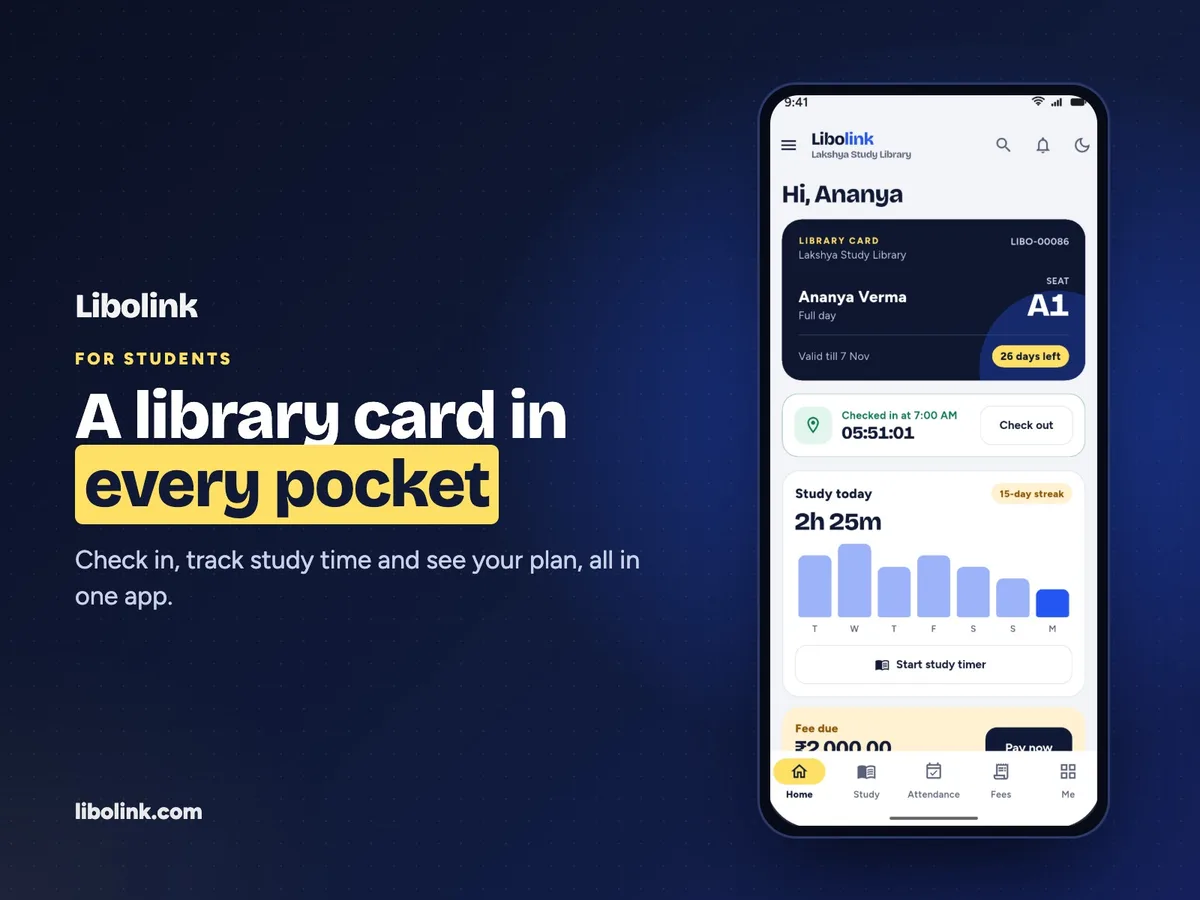
- A student app students use: library card, fee receipts, notices, attendance, study timer, goals, exam dates and study material read inside the app with their name on every page.
- UPI fees checked before a receipt. Students pay your UPI ID and enter the UTR; staff verify it, or match a whole bank statement in one go. No commission on fees.
- Attendance without machines. The desk shows a QR code that changes every 90 seconds, with an optional location check.
- Today’s empty seats. When a student has not come, their seat can go to someone else for the day and returns to them tomorrow.
- A to-do home screen. "5 students have fees due" opens those five students with Call, WhatsApp and Collect fee buttons.
- Hindi and English on every screen.
How to move to Libolink in one afternoon
- Export your student list from your current app to Excel or CSV. If you cannot find an export, ask its support team for one; your data belongs to you.
- Start your 30-day free trial and run Quick setup: seats in ranges by floor, shifts from presets, and your plans, in one form.
- Download Libolink’s student import template (it has Hindi instructions), paste your students in and upload it. Any row that cannot be read is listed with the column at fault.
- Give each student their seat and plan, mark girls-only sections, and switch on online booking.
- Share the student sign-in link on your library’s WhatsApp group and print your new QR poster.
Our team will help you with the move for free. Call or WhatsApp 9170055568, or write to info@libolink.com.
Run both for a week
Keep your old app running for the first week. Record every payment in both. At the end of the week, ask your desk staff which one was faster, and count the fees collected on time. Then decide.
If price is the only thing holding you back, ask for a custom plan before you choose. For the wider picture, read Best Library Management Software in India, Compared.
Frequently asked questions
How do I switch from my current library app to Libolink?
Export your students to Excel or CSV, run Libolink’s Quick setup for seats, shifts and plans, then upload the student import template. Most libraries finish in an afternoon, and Libolink’s team helps for free at 9170055568.
Will I lose my old fee records when I switch?
No. Import your current students with their plans and dates, and keep your old app’s export or register for past payments until the year closes.
Is Libolink cheaper than other library apps?
Not always. Some apps publish lower monthly prices, while others charge by seats, add an onboarding fee or bill each WhatsApp message. Libolink is one price, ₹499 a month for up to 1,000 students, and small libraries can ask for a custom plan at info@libolink.com.
When should I not switch?
If your fees are collected on time, students use the app and the price fits as you grow, stay where you are. Switch only for a real gain.