

What Is a Digital Library for Students? Setup and Checklist
Key takeaways
- In towns across Uttar Pradesh, Bihar, Madhya Pradesh and nearby states, a "digital library" usually means a self-study library with fast Wi-Fi, AC, charging at every desk, CCTV and digital entry and fees.
- It is not an e-book website. Students bring their own phones, laptops and books; the library sells a quiet, connected seat by the month.
- Wi-Fi, power backup and charging matter more than computers. A dropped connection in the middle of an online test is the fastest way to lose a student.
- Write rules for the digital part: earphones only, no calls in the hall, and Wi-Fi for study, not for movies.
- The paperwork, costs and steps are the same as for any study library, so plan them the same way.
Ask a student in Prayagraj, Patna, Gorakhpur or Indore where they study, and the answer is often "a digital library". In these towns the phrase does not mean a collection of e-books. It means a self-study library with the things today's aspirants need: fast Wi-Fi for online classes and test series, AC, a charging point at every desk, CCTV, and entry, attendance and fees that work from a phone.
If you are opening one, or want to call your library a digital library, this guide lists what it needs and how to run it.
What makes a library "digital"
| Facility | Why students want it | Tip |
|---|---|---|
| Fast Wi-Fi | Online lectures, test series, PDFs and doubt videos | Fibre broadband, and a second router or mesh for a big hall |
| Power backup | Power cuts in the middle of a test | Keep lights, fans, router and charging on the inverter |
| Charging at every desk | Phones and laptops run all day | One socket per desk or per two desks, on proper MCBs |
| Desk lights | Long hours of reading | LED lights, not tube lights shining into eyes |
| AC | Comfort for 6–12 hours | Separate AC and non-AC zones if fees differ |
| CCTV | Safety for students and their belongings | Entrance and hall, with a notice that cameras are on |
| Digital entry and attendance | No queues, no fake entries | QR check-in from a student app, or a smart door |
| Online fees | Pay by UPI from the hostel or home | UPI QR in the library's name, with receipts |
| Lockers | Books and laptops stay safe overnight | Number lockers like seats |
| Computer or print corner | Forms, admit cards and printouts | Optional; a printer is also a side income |
Computers are optional. Most students study on their own phone or laptop, so spend first on Wi-Fi, backup and charging, which every student uses every day.
Wi-Fi that does not let students down
- Plan for the load. Fifty students streaming lectures at the same time need a real broadband plan, not a phone hotspot. Ask the provider for a business or high-speed fibre plan.
- Cover the whole hall. One router in a corner leaves the far desks weak. Use a second router or a mesh system.
- Keep a backup. A second connection from another provider, or a mobile data backup for the router, keeps the hall working when one line is down.
- Secure it. Use WPA2 or WPA3, change the password every month or when a batch leaves, and keep the router's admin password to yourself.
- Put it on the inverter. Wi-Fi that drops with every power cut is not digital at all.
Rules for a digital library
Add these to your normal rule board:
- Earphones only. No speaker, no video calls in the hall.
- Phone on silent; calls outside the hall.
- Wi-Fi is for study. No movie downloads or streaming that slows it for everyone.
- Use your own charging point only; no extension boards.
- The library is not responsible for laptops left unlocked at the desk; use the lockers.
See Study Library Rules for Students for a full sample rule board.
Free digital resources to tell your students about
A digital library can point students to free government resources that work well on its Wi-Fi:
- National Digital Library of India (NDLI): a free online library of books and study material, run by IIT Kharagpur for the Ministry of Education.
- SWAYAM: free online courses from Indian universities and institutes.
- NCERT textbooks: free to read online, and the base of many competitive exams.
A short list on the notice board ("Free study resources on our Wi-Fi") shows students that you care about their preparation, not only their fees.
Steps to open a digital library
Opening a digital library is the same as opening any self-study library, with more attention to Wi-Fi and power:
- Check demand and fees in the area. See How Much Fees to Charge for a Self-Study Library.
- Check the building's approved use and get the papers ready. See Documents and Licences Needed to Open a Study Library.
- Plan seats, shifts and zones, then wiring for charging points and AC.
- Book broadband early: fibre lines can take days or weeks to install.
- Set your fees, rules and records before the first student joins.
How to Start a Self-Study Library covers every step, and Self-Study Library Costs and Profit has the full cost table. If you need a name, see Study Library Name Ideas.
Mistakes that make a digital library look old
- A Wi-Fi password written on the wall for years.
- Charging from extension boards running across the floor.
- Fees in a notebook and receipts on paper slips that get lost.
- An attendance register that anyone can sign for a friend.
- No online presence, so students searching "digital library near me" never find you.
How Libolink makes the library digital
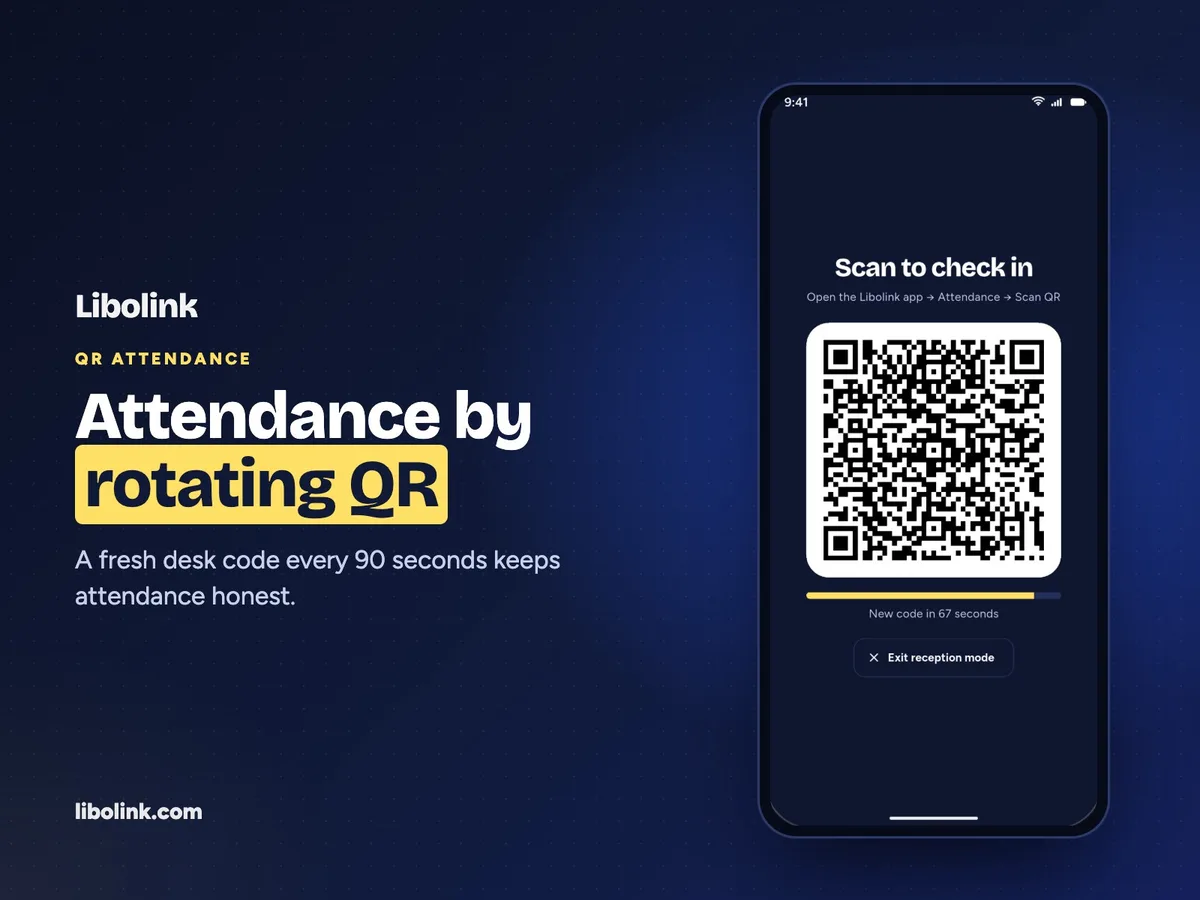
Libolink is the digital part of a digital library. Students check in by scanning a QR code at the desk that changes every 90 seconds, so nobody can mark attendance for a friend. Each student gets an app with a digital library card, their seat, a study timer and their fee status, and pays by UPI to your own account. Fee reminders go out automatically 7, 3 and 1 days before the due date, and your library gets a free website where students can see your plans and, on the Pro plan, book a seat online. On Pro and Business, the Libolink smart door opens from the student's phone only when their plan is active. Start a free 14-day trial or see how it works.
Frequently asked questions
What is a digital library for students?
In many Indian towns, a digital library is a paid self-study library with fast Wi-Fi, AC, charging at every desk, CCTV, and app-based entry, attendance and fees. Students bring their own books, phones and laptops and pay a monthly fee for a seat.
How do I open a digital library?
Follow the same steps as any self-study library: check demand, get the premises and papers ready, plan seats and shifts, set fees and rules. Then add fast broadband with a backup, power backup for the router and charging points at every desk.
Does a digital library need computers?
Not usually. Most students study on their own phone or laptop. Spend first on Wi-Fi, power backup and charging. A small computer or print corner for forms and admit cards is a useful extra, and printing can bring in extra income.
What is the difference between a digital library and a self-study library?
Mostly the name. A digital library is a self-study library that highlights its Wi-Fi, charging, AC and digital entry and fees. Both rent quiet seats to students by the month.
What free digital resources can a library offer students?
The National Digital Library of India (NDLI), SWAYAM online courses and NCERT textbooks are free and work well on library Wi-Fi. A short list on the notice board helps students use them.