

Best Library Software for a Small Study Library (20–80 Seats)
Key takeaways
- A small library needs the same basics as a big one: seats by shift, fees by UPI, reminders and a simple app for students.
- For a small library, one extra seat filled or one fee collected on time each month pays for good software.
- Free plans usually cap students and leave out WhatsApp reminders; check the cap against your seats before you rely on one.
- Libolink is free for the first 30 days with every feature, and small libraries can ask for a custom plan by email at info@libolink.com or a call on 9170055568.
If your library has 20 to 80 seats, you probably run it yourself, maybe with one helper, and every rupee matters. It is tempting to pick a free app or stay with the register. This guide explains what a small library really needs, what free plans leave out, and why Libolink is built to work for small libraries too.
What a small library actually needs
- Seats by shift. Even 30 seats can be sold two or three times a day across shifts. You need to see which seat is free in which shift.
- Fees without chasing. Students should pay your UPI with the exact amount, and get reminders before and after the due date, so you do not have to remember who owes.
- One person can run it from a phone. No computer, no training; the home screen should tell you what to do today.
- A way for new students to find you. A simple web page, an enquiry form, and ideally a way to book a seat online.
The real cost for a small library
For a small library, the software price is not the biggest cost. These are:
| What goes wrong | What it costs in a month |
|---|---|
| One seat stays empty | One seat's fee, often ₹500 to ₹1,000 |
| Two students forget to renew on time | Up to two seats' fees, plus your time calling them |
| A student says "I paid" and you cannot find it | The fee, and an awkward conversation |
| A new student calls while you are busy and never calls back | A whole admission |
Libolink's plan is ₹499 a month at the time of writing. Filling one extra seat, or collecting one fee that would have slipped, usually covers it. Read Cheapest Library Software vs Best Value for the full picture.
What free plans leave out
Free plans can be a good start, but read the limits. On the pricing pages we read in October 2026, free plans typically allowed:
- 20 to 50 students only.
- One branch and one admin login.
- Manual reminders only, or basic features without WhatsApp automation.
See Free Library Management Software: What Free Plans Leave Out.
A library with 40 seats and two shifts can have 80 students. Check the cap against your real numbers, not your seat count.
Why Libolink works for a small library
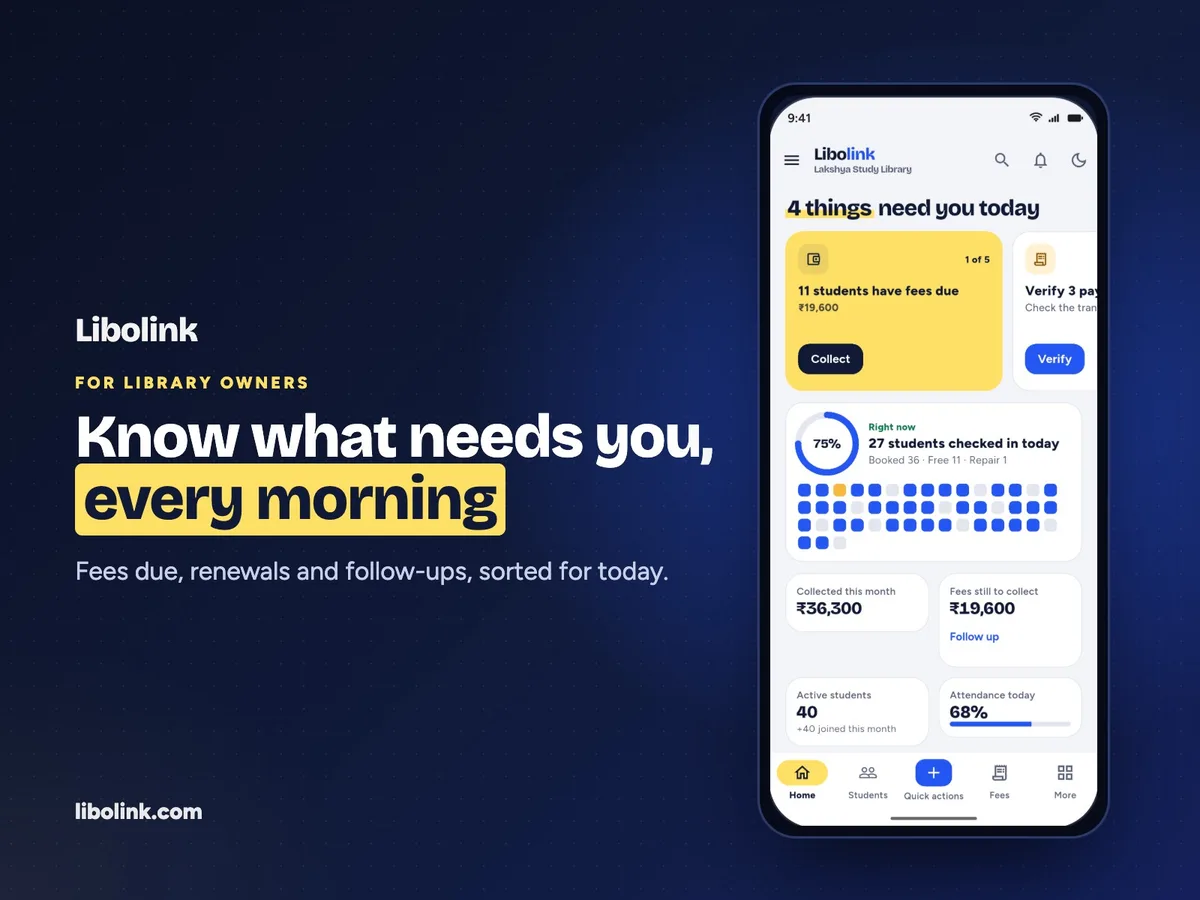
- Every feature from day one. Seat map, fees, 7-3-1 reminders, QR attendance, the student app, your website and online seat booking are all in one plan; nothing is locked behind an upgrade.
- Set up in about an hour. Shift presets, seats in a range and Excel import. See Easy Library Management Software.
- Fees straight to your UPI, with no commission, and reminders that do the chasing for you. See Library Fee Reminders: the 7-3-1 Rule.
- Students book seats online, even at night, from a QR poster at your gate. See Online Seat Booking for Study Libraries.
- Room to grow. The same plan covers up to 1,000 students and any number of branches, so you never move apps when you grow.
- English and Hindi, for you, your staff and your students.
- Free training and growth advice. We train you and your helper for free, even in the trial, and help you bring in students and set your prices. See Free Staff Training and Growth Consultancy.
If the price is the only thing stopping you
Write to info@libolink.com or call 9170055568 (also on WhatsApp) with your number of seats and students. We offer custom plans for small libraries, so you can have everything Libolink does at a price that fits your size. Read Custom Libolink Plans for what to send us.
How to decide
- Start the 30-day free trial. No card is needed.
- Add your real seats, shifts and plans, and import your students.
- Run one full fee cycle: reminders, UPI payments and receipts.
- Count the fees collected on time and the seats filled, then decide.
A small library that runs smoothly does not stay small for long.
Frequently asked questions
Is Libolink good for a small library?
Yes. One person can run it from a phone, setup takes about an hour, and every feature is included from day one. Small libraries can also ask for a custom plan by email at info@libolink.com or by calling 9170055568.
Should a small library use a free app?
Check the free plan's student cap and what it leaves out. Caps of 20 or 50 students are reached quickly with two shifts, and free plans often lack WhatsApp reminders. One fee collected on time can cover a paid plan.
How much does Libolink cost for a small library?
The standard plan is ₹499 a month, billed for 3, 6 or 12 months, after a 30-day free trial. For a plan sized to a small library, email info@libolink.com or call 9170055568.
Can I try it before paying?
Yes. The first 30 days are free with every feature and no credit or debit card. If you do not continue, your data is kept and you can export it.